Set up audiences
Audiences in Optimize
An audience is a group of visitors that matches criteria you define.
You can use audiences to make sure an optimization reaches the right visitors. For example:
- Mobile visitors
- Returning visitors
- Visitors from a specific campaign
- Visitors from enterprise companies
- Existing customers
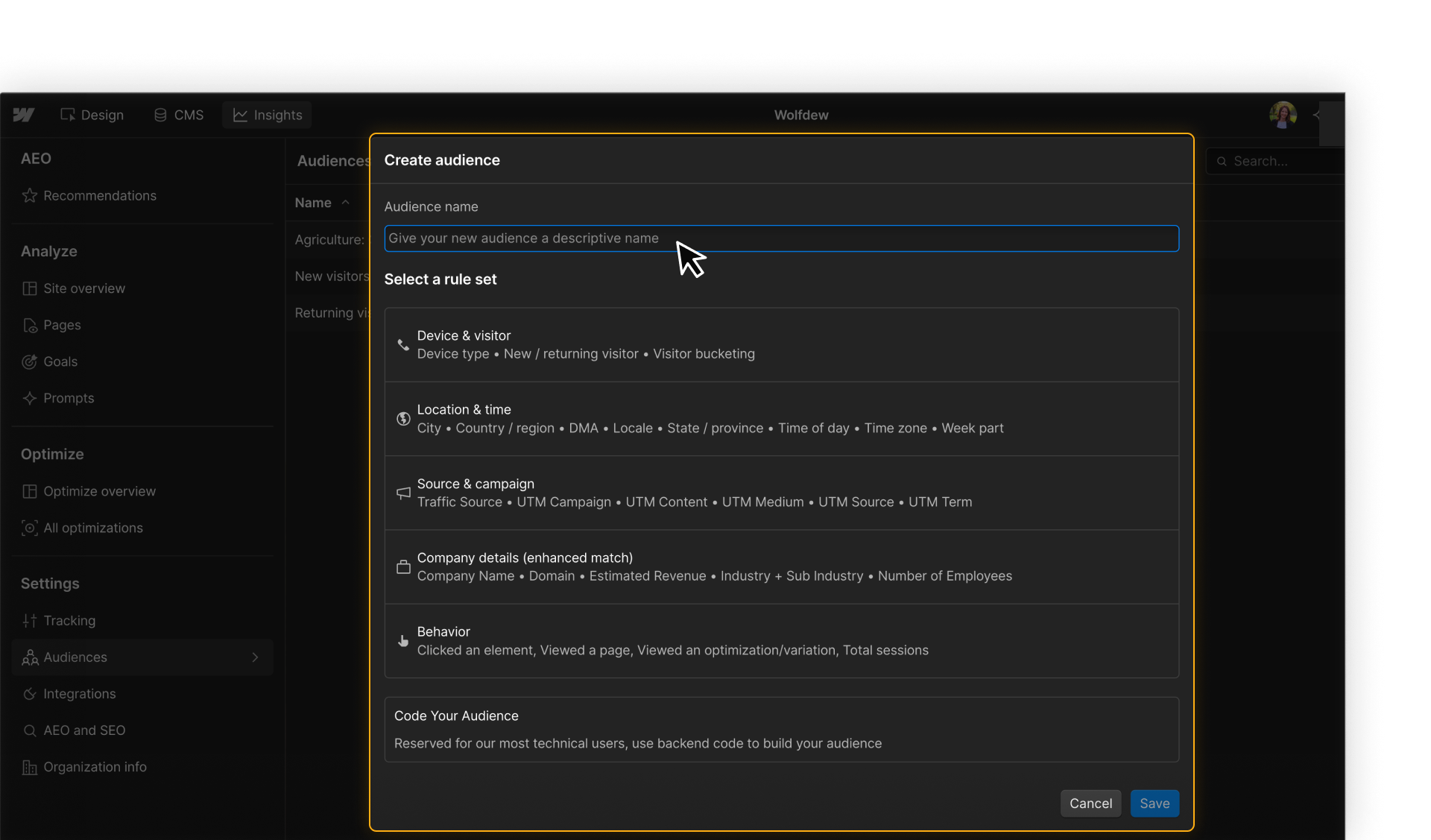
Once you create an audience, you can reuse it across optimizations.
How audiences work in optimizations
Audiences play different roles depending on the kind of optimization you’re running.
Traditional Test and AI Optimize use audiences the same way: to define who can enter the optimization. Manual personalization uses audiences to decide which experience each visitor sees.
Audience = who can participate
For traditional tests, you'll use an audience to limit the test to a specific group of visitors.
Example: Test a higher homepage CTA only with mobile visitors.
Eligible visitors enter the test, then traffic is split across the variations.
.png)
Audience = who can participate
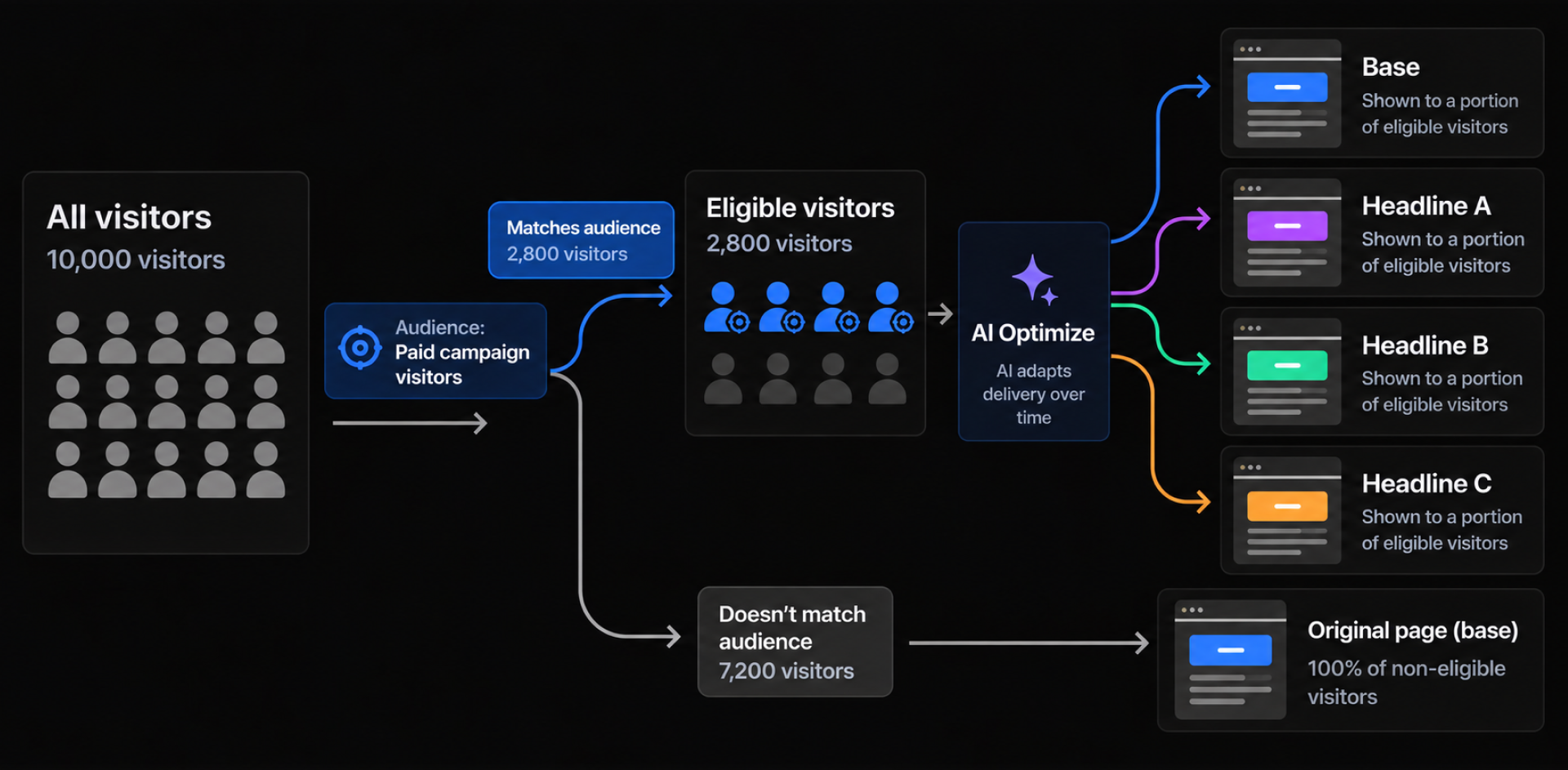
AI Optimize uses audiences the same way as a traditional test: the audience defines who is eligible for the optimization.
Example: Run several headline variations only for paid campaign visitors, then let AI decide which variation each eligible visitor sees.
The audience controls eligibility. AI Optimize controls variation delivery.
Audience = who sees what
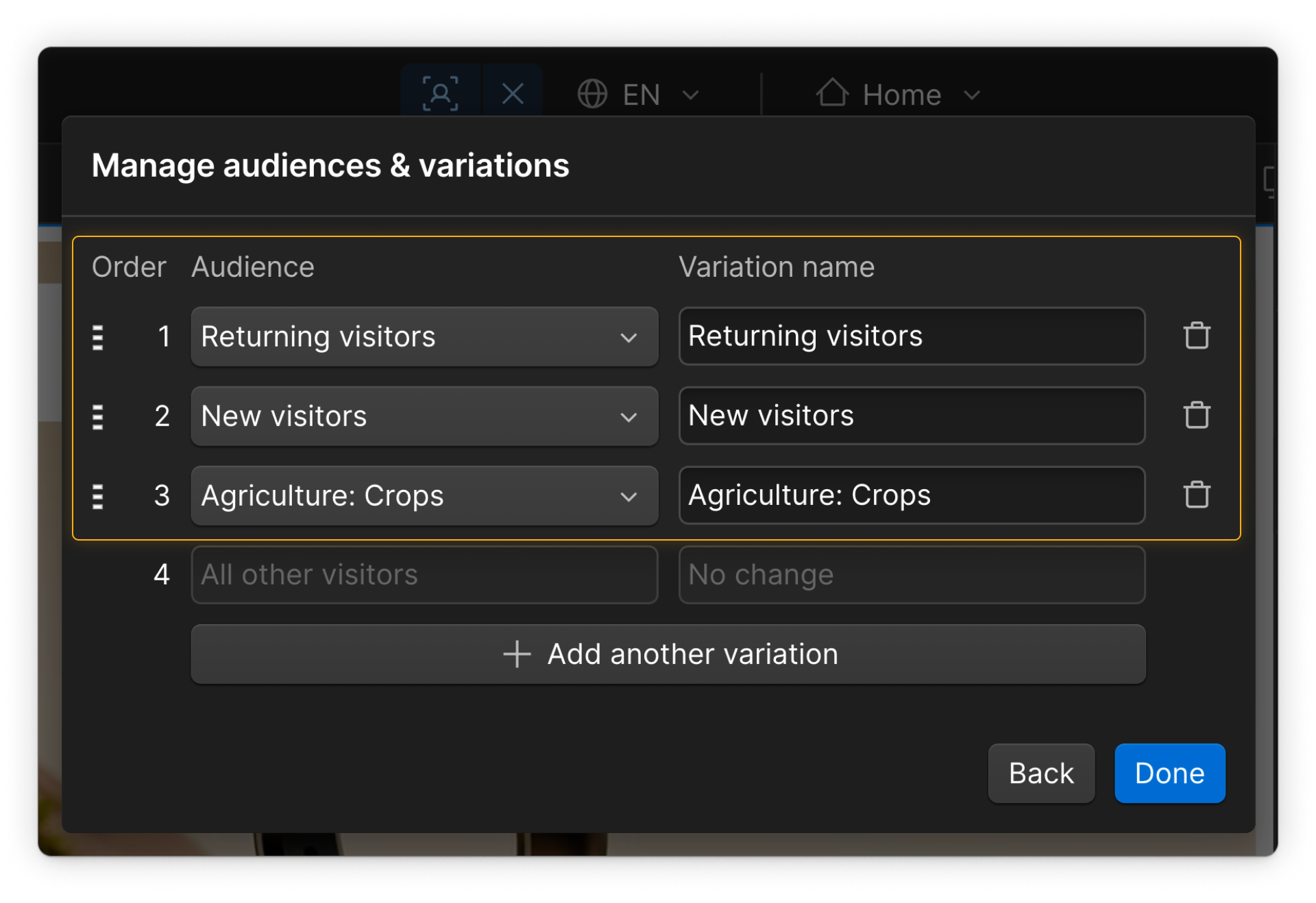
In a manual personalization, audiences are assigned to individual variations.
Example: Show enterprise visitors an enterprise-focused messaging and small-business visitors SMB messaging.
Here, the audience directly determines which experience a visitor receives.
.png)
Plan for audience overlap
In a manual personalization, a visitor may qualify for more than one audience. For example, someone might be both an Existing customer and part of an Enterprise company.
When that happens, audience priority determines which experience they receive. Put the more specific or important audience higher in the priority order.
Choose how to define your audience
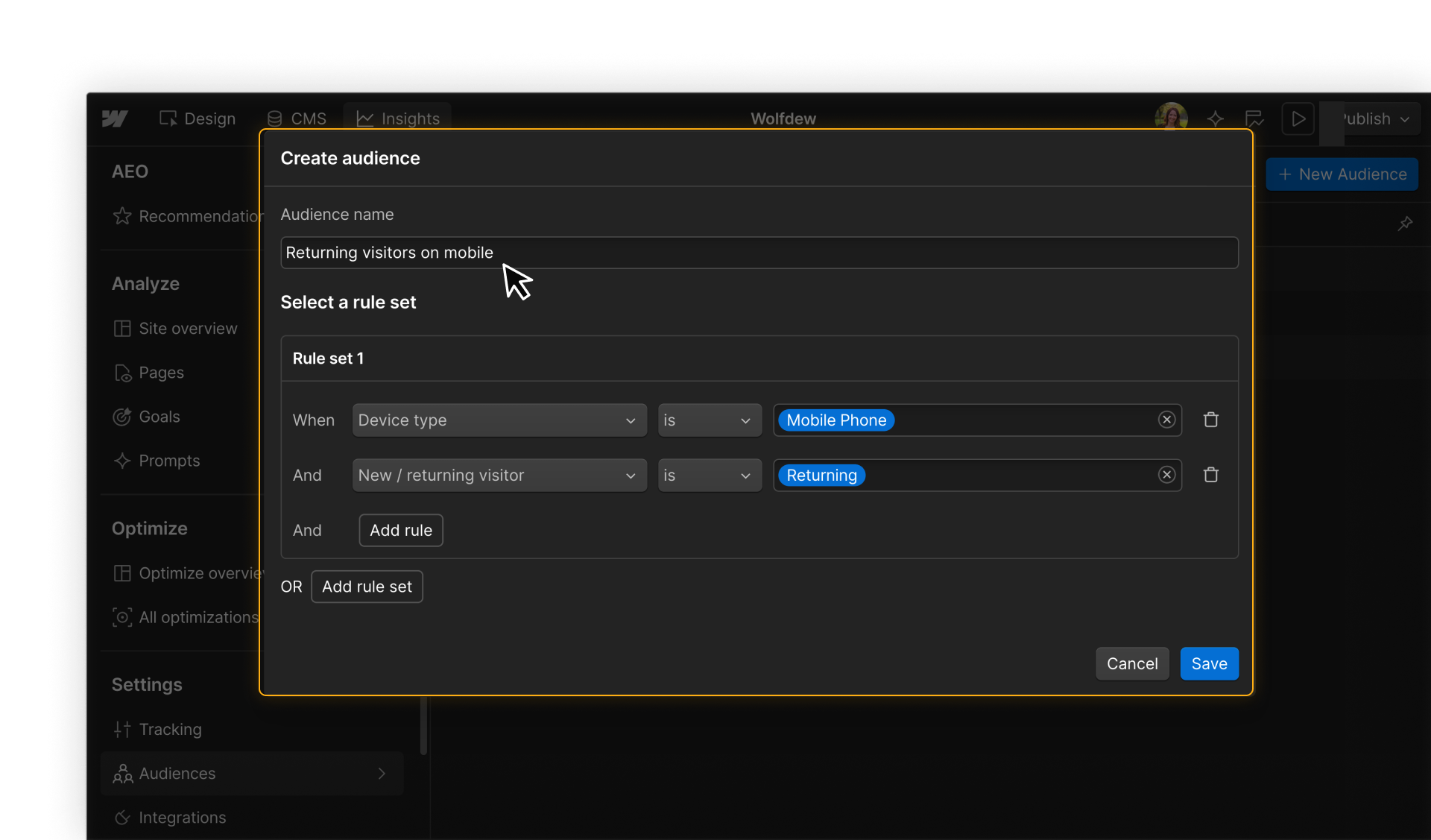
Most audiences in Optimize are rules-based. You define one or more conditions, and visitors who match those conditions become part of the audience.
The rules you can use come from several kinds of visitor data.
Start with built-in visitor signals
Optimize includes built-in signals you can use to define an audience without connecting another data source. These can include things like a visitor’s device, location, referral source, or previous activity.
For example, you could create an audience of returning mobile visitors or visitors from a specific region.
Build more specific audiences with connected data
On Enterprise plans, you can use additional data sources to create more specific audience rules:
Campaign & URL data
Campaign and URL data are details passed through a visitor’s URL, such as UTM parameters.
Example:
utm_campaign = enterprise-launch
CRM & marketing data
Connected CRM and marketing tools can make lead, customer, or account information available for audience rules.
Example:
Existing customers
Company data from Enhanced Match
Enhanced Match can provide company-level information for some otherwise anonymous visitors, such as industry, company size, domain, or estimated revenue.
Example:
Large healthcare companies
Custom attributes
Custom attributes let your team pass additional visitor information into Optimize when the built-in signals don’t cover what you need.
Example:
customer_tier = enterprise
Code-based audiences
For advanced cases that rules can’t express, you can build a code-based audience using custom JavaScript.
The code evaluates whether a visitor meets the condition. If it returns true, the visitor matches the audience.
For example, you could create an audience for visitors whose browser window is at least 760px tall, so a large image is only shown when there’s enough room to see it on page load.
.png)
For most targeting needs, start with rules-based audiences. Use code-based audiences when the targeting logic you need isn’t available through rules.
Start simple
Audience rules can get specific quickly. But the more conditions you add, the fewer visitors will qualify.

Start with the simplest audience that supports your goal. Add more rules only when they serve a real targeting need.
Before using an audience, check that it:
- Includes the visitors you intend
- Excludes the visitors you don’t
- Still has enough traffic to support the optimization
For tests and AI Optimize, that last point matters especially because smaller audiences mean less data to learn from.
Ready to keep going?
Next, you’ll use the foundation you’ve set up — tracking, connected data, goals, and audiences — to find high-impact opportunities worth optimizing.