AI Optimize for tests and personalization
When to use AI Optimize
Traditional tests and manual personalizations give you direct control over how experiences are delivered.
AI Optimize doesn’t replace either one. It adds an adaptive layer that uses machine learning to learn from visitor behavior and available signals, then changes which variations visitors see over time.
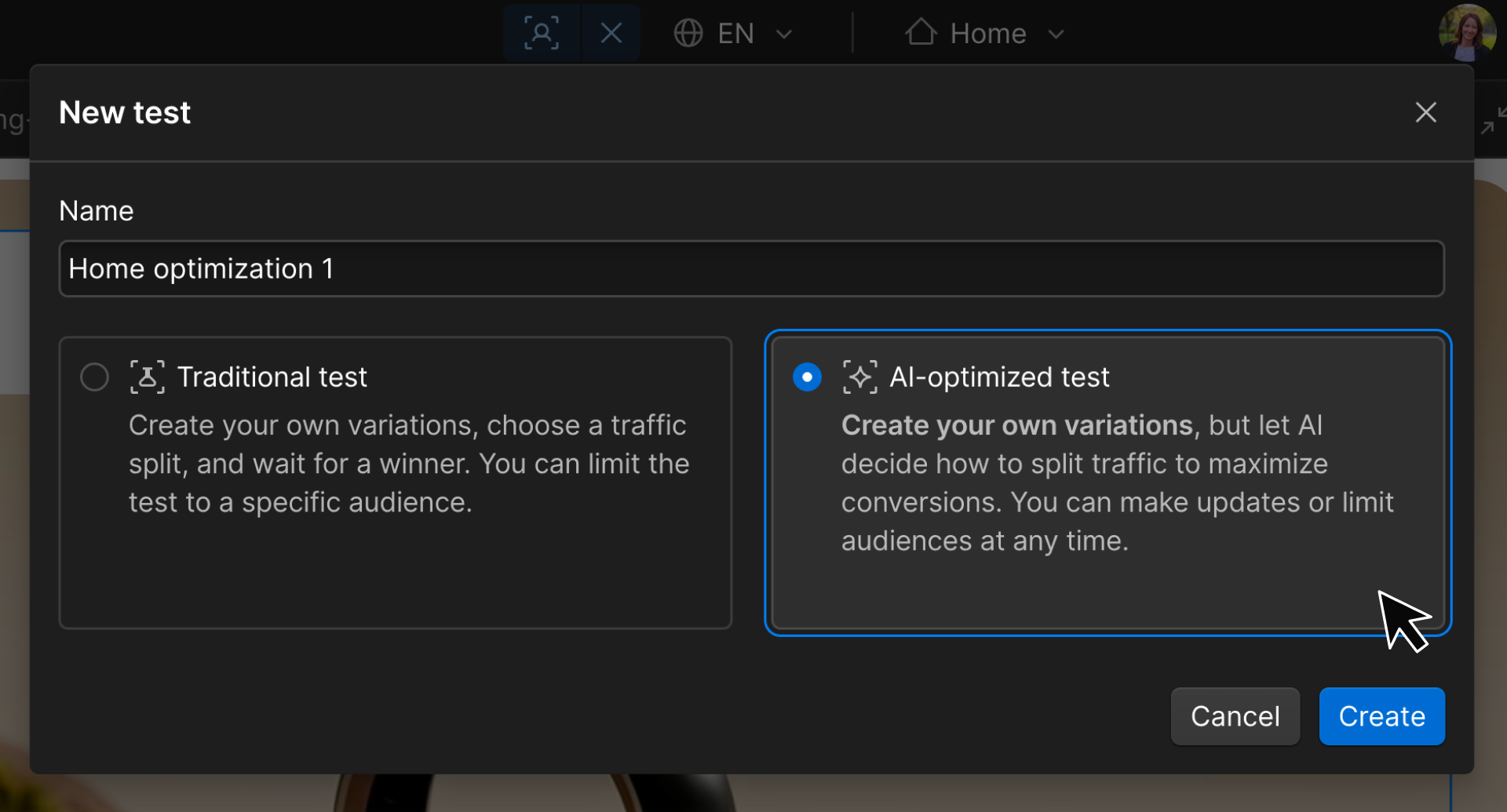
AI Optimize for tests
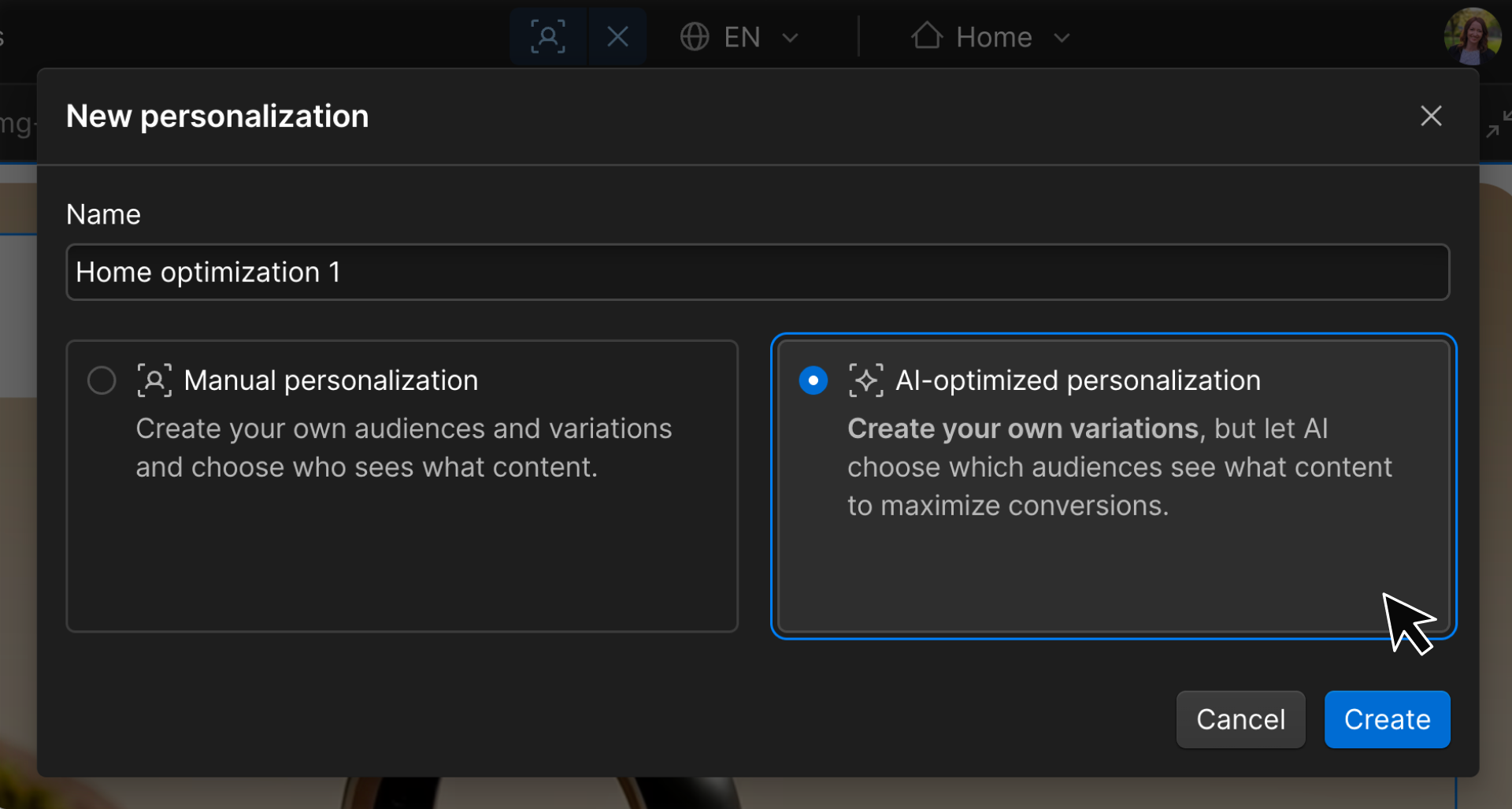
AI Optimize for personalization
Use AI Optimize when you:
- Have several ideas or combinations to explore
- Want delivery to adapt as performance changes
- Want to reduce exposure to weaker-performing variations
- Have lower traffic and may struggle to reach significance with a traditional test
- Don’t need to stop and declare one permanent winner
The optimization type still matters: you’re still testing or personalizing. AI Optimize changes how variations are delivered.
What you’ll configure
AI Optimize still starts with familiar building blocks:
Base
The original experience
Variations
The ideas you want AI to explore
Target goal
The outcome AI should optimize toward
Audience (optional)
Limits who is eligible for the optimization
AI Optimize
Controls adaptive delivery
AI Optimize with testing
A traditional test uses the traffic split you configure to compare variations and determine which performs best overall.
AI Optimize has a different purpose: continuously adapt variation delivery to maximize conversions as visitor behavior changes.
Imagine you’re exploring three homepage headlines:
- A benefit-focused headline
- A feature-focused headline
- A proof-focused headline
At first, AI needs to explore the different options. As it gathers data, it can adjust delivery based on which variations are more likely to drive the target goal for different visitors.
That means weaker-performing variations can receive less exposure while stronger-performing variations receive more. That allocation can continue changing as AI learns.
Traditional test
Which variation performs best overall?
AI-optimized test
Which variation is most likely to work for this visitor right now?
AI Optimize with personalization
Manual personalization depends on rules you define:
Enterprise audience → Enterprise variation
With AI Optimize, you don’t need to manually define every audience-to-variation match. Instead, AI learns which variations are more likely to work for different visitors based on the signals available to it.
The goal is still personalization: different visitors may respond best to different experiences. What changes is who decides which variation they receive.
The audience still determines who is eligible for the optimization. AI Optimize determines which variation an eligible visitor sees.
Build and launch with AI Optimize
The setup should feel familiar because you’ve already built a traditional test and a manual personalization. You’ll:
- Create your AI Optimize experience. Choose the page or experience you want to optimize.
- Build your variations. Give AI meaningful options to explore.
- Choose the target goal. AI Optimize uses this outcome to decide what to optimize toward.
- Set an audience, if needed. Limit the optimization to a particular group of visitors.
Now that you know what changes when AI Optimize takes over variation delivery, use the walkthrough below to practice building an AI-optimized experience from start to finish.
Give AI useful options
AI Optimize works best when the variations give it meaningful differences to learn from. If every variation says essentially the same thing, there isn’t much for the system to explore.
Give it ideas that reflect real hypotheses, such as:
- Feature-focused vs. benefit-focused messaging
- Short vs. detailed copy
- Different value propositions
- Different imagery
- Different calls to action
The same principle from earlier still applies: start from a real opportunity and give each variation a reason to exist.
Give AI something worth learning from
AI Optimize can adapt which experiences visitors see, but it can’t make weak or nearly identical ideas meaningful. Start with variations grounded in real hypotheses about what could influence visitor behavior.
Ready to continue?
Continue on to the next section where you’ll learn how to interpret the results of traditional tests, manual personalizations, and AI-optimized experiences — because each one asks you to look at performance a little differently.