Set up goals
Goals in Optimize
A goal is a measurable action you want visitors to complete, like clicking a call to action, reaching a page, or submitting a form.
Optimize uses goals to measure how visitors respond to your variations and whether an experience is helping drive the outcome you care about.
You can create several kinds of goals:
Click goal
Tracks clicks on a specific button, link, or call to action. Use it for actions like clicking Start free trial or Book a demo.
Page view goal
Tracks whether a visitor reaches a specific page, like a signup, pricing, or confirmation page.
Form submission goal
Tracks supported HubSpot or Marketo form submissions, such as a completed demo request.
Custom goal
Tracks actions the built-in goal types don’t cover, like a custom interaction, embedded third-party form submission, bookings, or other configured event.
Once you’ve created goals, you can use them in two ways:
Site goal
Site goals track the most important outcomes across your whole site.
Optimization goal
Optimization goals track an outcome for a specific optimization you're running.
Start with your site goals
Before you build an optimization, identify the most important actions you want visitors to complete on your site.
These are your site goals — the business outcomes your optimization program is ultimately trying to improve.
For example:
- Start a trial
- Request a demo
- Make a purchase
- Subscribe
Once you create a site goal, it automatically appears on every optimization you create. You can still add optimization-specific goals when you need to measure a particular experience.
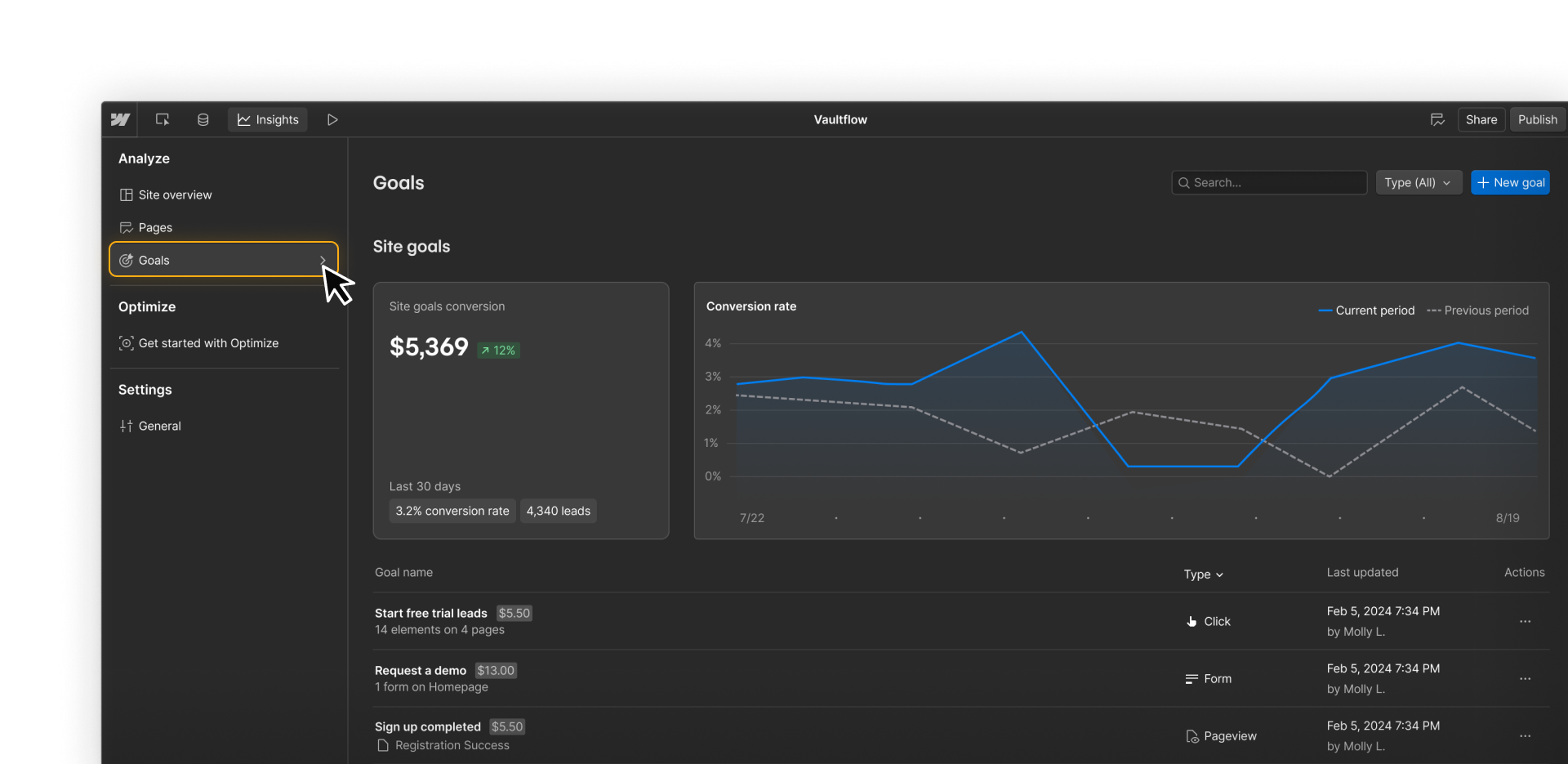
You can create more than one site goal when your site has multiple important outcomes.
After you create your first site goal, Optimize also creates an aggregate goal that combines your site goals called Total Leads.
You can rename that aggregate goal in Settings using one of several predefined labels, including Total Leads, Total Conversions, or Total Revenue.
Set goals for an optimization
Once your site goals are in place, choose what each individual optimization should measure.
An optimization can track multiple goals. If you add more than one, you choose one as the target goal — the primary outcome used to evaluate that optimization.
Supporting goals can give you extra context, but the target goal is the one that matters most. With AI Optimize, it's also what the system optimizes off of.

You’ll see performance for each goal in the optimization results. This lets you evaluate the optimization against its target goal while using the other goals to better understand how visitors responded.
Every optimization starts with an AutoGoal. It automatically tracks broad visitor activity after someone sees a variation, so you have some behavioral data from the start. For a clearer measure of success, you’ll usually add a more specific goal and choose one as the target goal.
You start to notice that mobile visitors rarely click the primary CTA on your homepage, so you want to test moving it higher on the page.
For that optimization, you might track:
- Trial starts —the business outcome you ultimately care about
- CTA clicks — whether more visitors engage with the CTA
- Pricing-page views — another signal that visitors are moving through the funnel
If Trial starts happens often enough to give you useful data, it can also be the target goal for the optimization. That keeps the test directly tied to the business outcome you care about.
But if trial starts happen too infrequently to give you a useful signal, you might choose a closer action like CTA clicks as the target instead, while continuing to track Trial starts.
How the goal types fit together
Site goal
Defines an important business outcome across your site.
Optimization goal
Measures an outcome for a specific optimization.
Target goal
Tells Optimize which outcome matters most for that optimization.
Ready to keep going?
Now that you know how site goals and optimization goals work together, continue to the next lesson to learn how audiences help control who your optimizations reach.