Staging & publishing overview
Staging & publishing overview
Publishing in Webflow isn't just a button click — it's the moment your work becomes visible to the world. Before you get there, it helps to understand what your options are, what permissions are involved, and what staging is for.
Staging vs. production
Webflow gives you two places to publish your work. They serve different purposes and different audiences.
- Staging is a live preview URL that lets you and your team review changes before they go public. It's not visible to your audience — it's for internal review, testing, and sign-off. Publishing to staging is always the right first step.
- Production is your live site — the one your audience sees. Publishing to production makes your changes public. Depending on your team's setup, you may or may not have permission to publish here directly.
.png)
Publishing options for Marketers
As a Marketer, you have two ways to push content live. Choosing the right one depends on what's ready and what isn't.
Full site publishing
Full-site publishing pushes all unpublished changes live at once — new pages, content edits, CMS updates, everything modified since the last publish. This is the right option when a coordinated set of changes is ready to go live together.
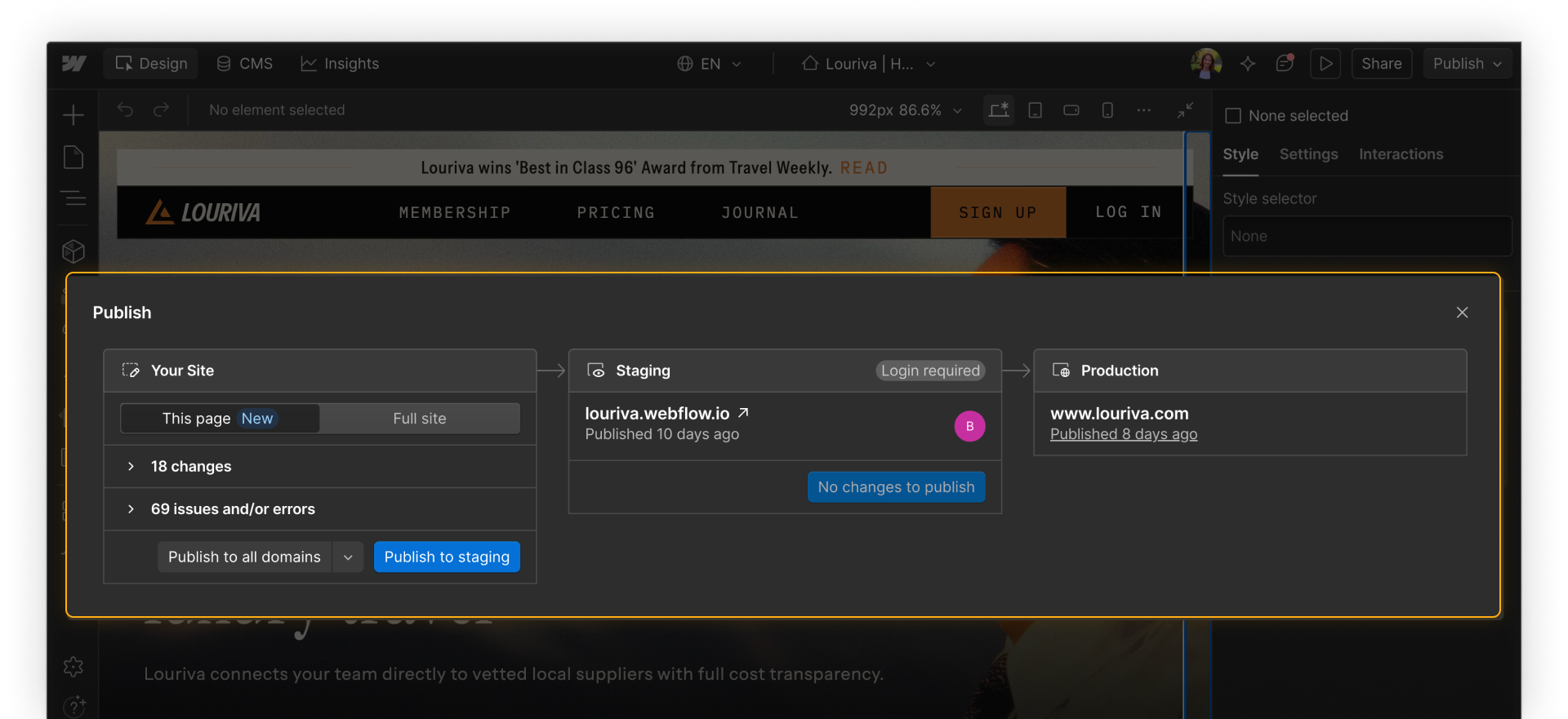
Note: Your publishing modal may look different depending on your Workspace and Site plan.
- Enterprise plans: To see the publishing modal in action for Enterprise plans, check out our Enterprise publishing workflow video.
- Standard plans: To see the publishing modal in action for standard plans, see our Publishing to staging & production video.
Publishing workflows for Enterprise plans
Enterprise teams have a more advanced publishing experience with additional options and controls:
- Single static page publishing lets you publish one page at a time (e.g. a landing page, a campaign page, a content update) without triggering a full-site publish. This is particularly useful for Marketers who need to move quickly on a single page without waiting for unrelated in-progress work to be ready.
- An advanced publishing modal shows a summary of recent site changes before anything goes live, so you can see exactly what's included in a publish before committing.
- Page branching & design approvals are also available for coordinating larger or higher-risk changes safely, letting teams work on changes in a branch environment and merge only when ready.
CMS single-item publishing
CMS single-item publishing lets you publish an individual CMS item (e.g. a blog post, a case study, a product update) without triggering a full-site publish. This is useful when a piece of content is ready but other changes on the site aren't, or when you need to move quickly without waiting for a broader review cycle.
.png)
Publishing permissions
Not all Marketers have the same publishing access — and that's intentional. Your Designer or Admin controls who can publish what. Before you need to publish, it's worth knowing:
- Whether you have full-site publishing access, or only CMS item publishing
- Whether staging access and production access are separate for your team
- Who to contact if you hit a permissions wall at the wrong moment
If you're unsure, check with your Admin before you need to publish. Finding out your permissions in advance prevents last-minute blockers.
Feeling good?
Now that you have the basics down, let’s review best practices for staging and publishing as a Marketer in Webflow.