We’re transitioning to a new UI, and are in the process of updating our Webflow University courses and videos.

Background & preview

Gain essential background knowledge and preview key course concepts.

Background & preview

Gain essential background knowledge and preview key course concepts.

Webflow for Marketers

The Marketer role gives you the tools to do your job in Webflow independently (e.g. building pages, updating content, managing CMS items, and publishing your work) without needing a Designer involved in every change.

Webflow canvas in the Marketer view with a Page Slot selected and a Hero Landing component placeholder.

In this course, we'll cover the core workflows you’ll use day to day as a user with the Marketer role in Webflow. You’ll learn how to:

  1. Build pages using components and templates
  2. Edit static and dynamic content
  3. Work with the CMS
  4. Manage SEO settings
  5. Give feedback through comments
  6. Publish your work to staging and production
Want a quick overview of everything the Marketer role can and cannot do? Check out the Quick guide: Marketer role.

Get ready for hands-on practice

Throughout this course, there will be practice activities for you to apply what you’ve learned in a safe environment. To get started, you’ll need to clone this Webflow University cloneable project in your personal Dashboard.

STEP 1: Click here to open the cloneable project, and then click the Clone in Webflow button in the upper right corner of the modal.
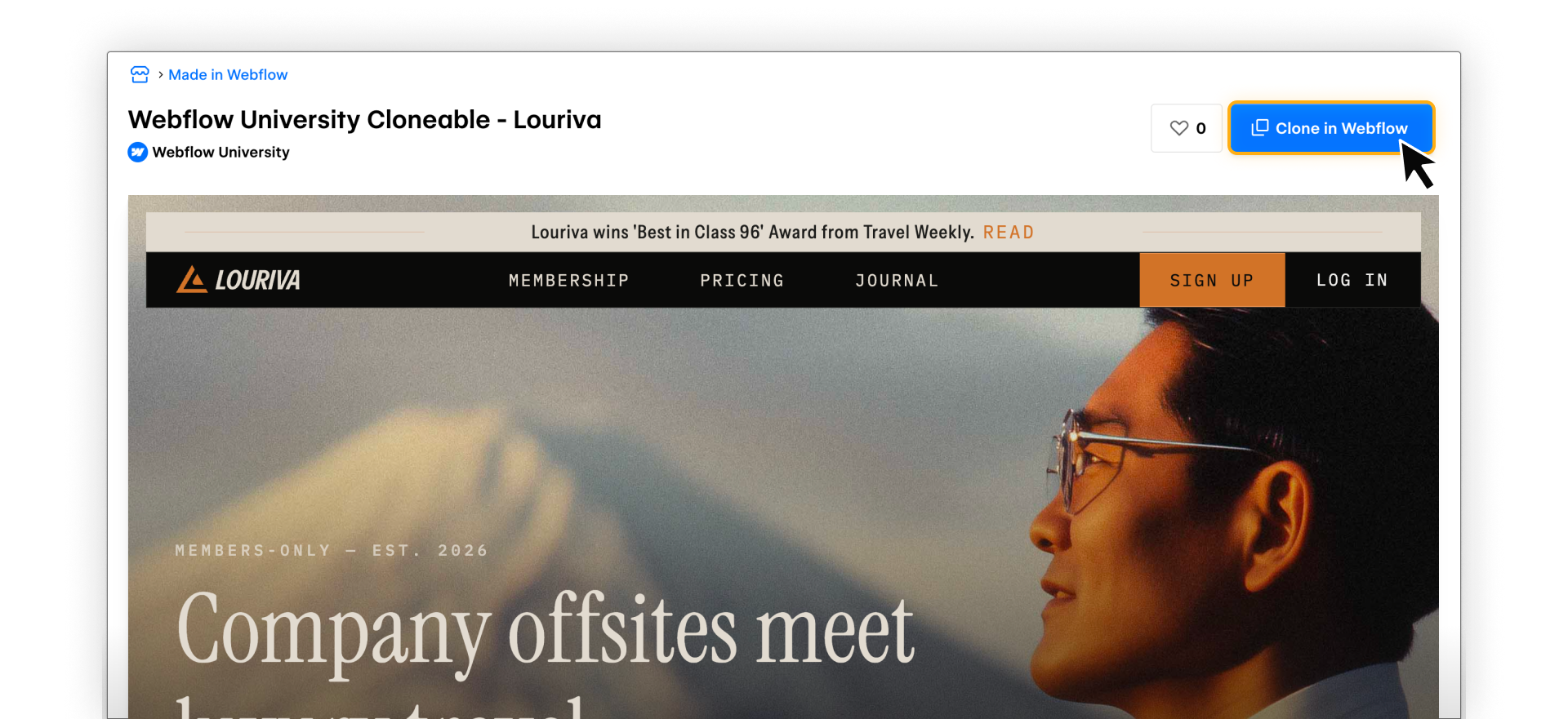
Webflow cloneable page with the ‘Clone in Webflow’ button highlighted to copy a project into your workspace.

STEP 2: From the dropdown in the upper right corner of your Dashboard, select in which Workspace you’d like to clone the site. Next, click the Create site button.

Clone site screen in Webflow showing workspace selection and the Create site button to finish cloning a project.

STEP 3: Follow prompts to Name your site and click Create.

Changes to the cloned site in your Workspace won’t impact the original site — this site is yours to experiment with.

Ready to dive in?

Click Complete & continue to head to the next lesson, where we’ll take a closer look at what Content editors can do in Webflow, including what’s editable, what’s intentionally locked, and how Webflow keeps your site safe while you work.

Need help finding your way around? Learn how to navigate Webflow University lessons, courses, and learning paths, including how to mark items complete.
No items found.

1

Intro

Coming soon

1

Background & preview
2:00
Background & preview
Coming soon

1

Overview of the Marketer role
2:00
Overview of the Marketer role
Coming soon

2

Page building

Coming soon

2

Page building overview
2:00
Page building overview
Coming soon

2

Using components to build pages
Coming soon

2

Review & practice: Page building
2:00
Review & practice: Page building
Coming soon

3

Content editing

Coming soon

3

Edit content in Webflow
6:17
Edit content in Webflow
Coming soon

3

Review & practice: Content editing
2:00
Review & practice: Content editing
Coming soon

4

Working with CMS content

Coming soon

4

Intro to the Webflow CMS
5:12
Intro to the Webflow CMS
Coming soon

4

Add, edit, & publish CMS items
6:16
Add, edit, & publish CMS items
Coming soon

4

Review & practice: CMS
2:00
Review & practice: CMS
Coming soon

5

SEO

Coming soon

5

SEO overview
2:00
SEO overview
Coming soon

5

SEO tools in Webflow
5:51
SEO tools in Webflow
Coming soon

5

Review & practice: SEO
2:00
Review & practice: SEO
Coming soon

6

Review & feedback

Coming soon

6

Commenting
5:07
Commenting
Coming soon

6

Review & practice: Commenting
2:00
Review & practice: Commenting
Coming soon

7

Staging & publishing

Coming soon

7

Staging & publishing overview
2:00
Staging & publishing overview
Coming soon

7

Review & practice: Staging & publishing
2:00
Review & practice: Staging & publishing
Coming soon

8

Wrap up

Coming soon

8

Recap & additional resources
2:00
Recap & additional resources
Coming soon

Course progress

0%

Assessment

Up next

Overview of the Marketer role

Learn what you can do with the Marketer role in Webflow.
Complete & continue
Complete course