Publishing permissions & workflows
Publishing as a team
On a team-managed site, publishing is one of the highest-stakes moments in the workflow. The wrong change going live at the wrong time can mean broken pages, unreviewed content, or unfinished work visible to the world.
That's why publishing needs to be treated as a coordinated team decision — not an individual action. The question isn't just how to publish. It's who should publish what, under what circumstances, and with whose sign-off.
This section covers how to think about publishing responsibility — and how to distribute it across your team in a way that reduces risk and builds confidence. The videos that follow walk through the mechanics in detail.
CMS item publishing vs full site publishing
Not all publishing carries the same weight. Understanding the difference is the first step to distributing responsibility sensibly.
CMS item publishing
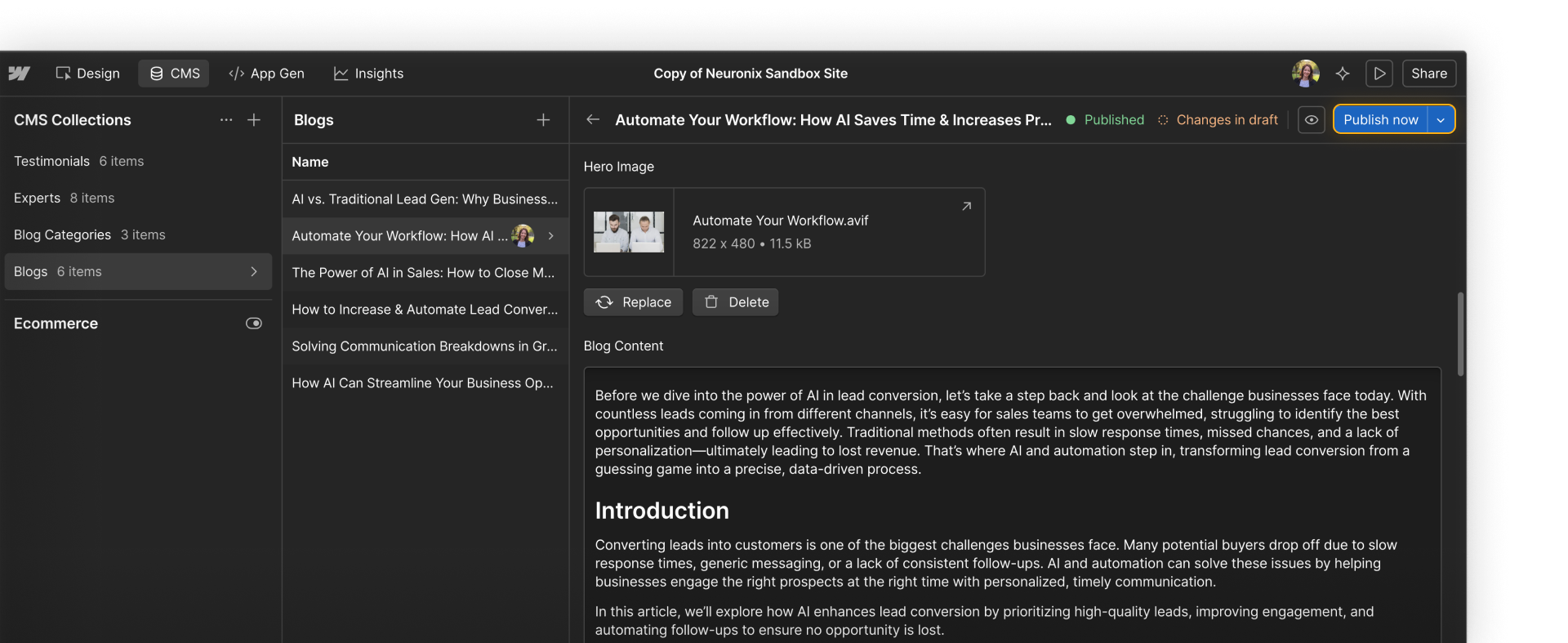
CMS item publishing updates individual pieces of content (e.g. a blog post, a case study, a product update) without affecting the rest of the site. It's lower risk, faster, and can often be delegated to Content editors and Marketers. All roles except Reviewers can publish individual CMS items by default.
Full site publishing
Full-site publishing pushes all unpublished changes live — design updates, structural changes, content edits, everything modified since the last publish. This is higher risk and should be controlled carefully. Full-site publishing permissions are managed in site settings and can be toggled on or off per team member.

Who should publish what
Publishing responsibility should align with role ownership. Here's a starting framework:
- Content editors: can publish individual CMS items when their content is ready, if publishing permissions allow
- Marketers: can publish individual CMS items and, if permitted, push full-site changes to staging for review
- Designers: typically own full-site publishing to production, or hand off to a Site manager
- Site managers and Admins: manage publishing permissions and often own final production publishes on larger teams
The most important thing is to make publishing responsibility explicit. Everyone on the team should know who is allowed to publish, what needs to happen before something is ready, and who to notify before a production publish.
When publishing responsibility is unclear, one of two things tends to happen: either nothing gets published because everyone assumes someone else is handling it, or things get published too early because no one knew they were supposed to wait.
Ready to dive in?
Now that we've covered how to think about publishing responsibility, let's see how staging and production publishing work in practice.
Note: The publishing process differs for Enterprise plans. The next video covers the standard publishing workflow, followed by a video specifically for Enterprise plans.