Get to know Webflow Cloud
Maybe you built a web app yourself, worked with a developer, or used an AI tool to generate it. It works on your computer. Now you need somewhere to put it so other people can use it, and a reliable way to publish updates.
That's where Webflow Cloud comes in. It lets you deploy and host a coded web experience, either alongside a Webflow site or as an app on its own.
What do we mean by an app?
In this course, an app is a coded web experience people can interact with. It might respond to someone's input, display changing information, connect to another system, or provide a personalized place to work.
Here, "app" doesn't mean a mobile app or something you install from the Webflow Marketplace. It means the custom web experience and the code that makes it work.
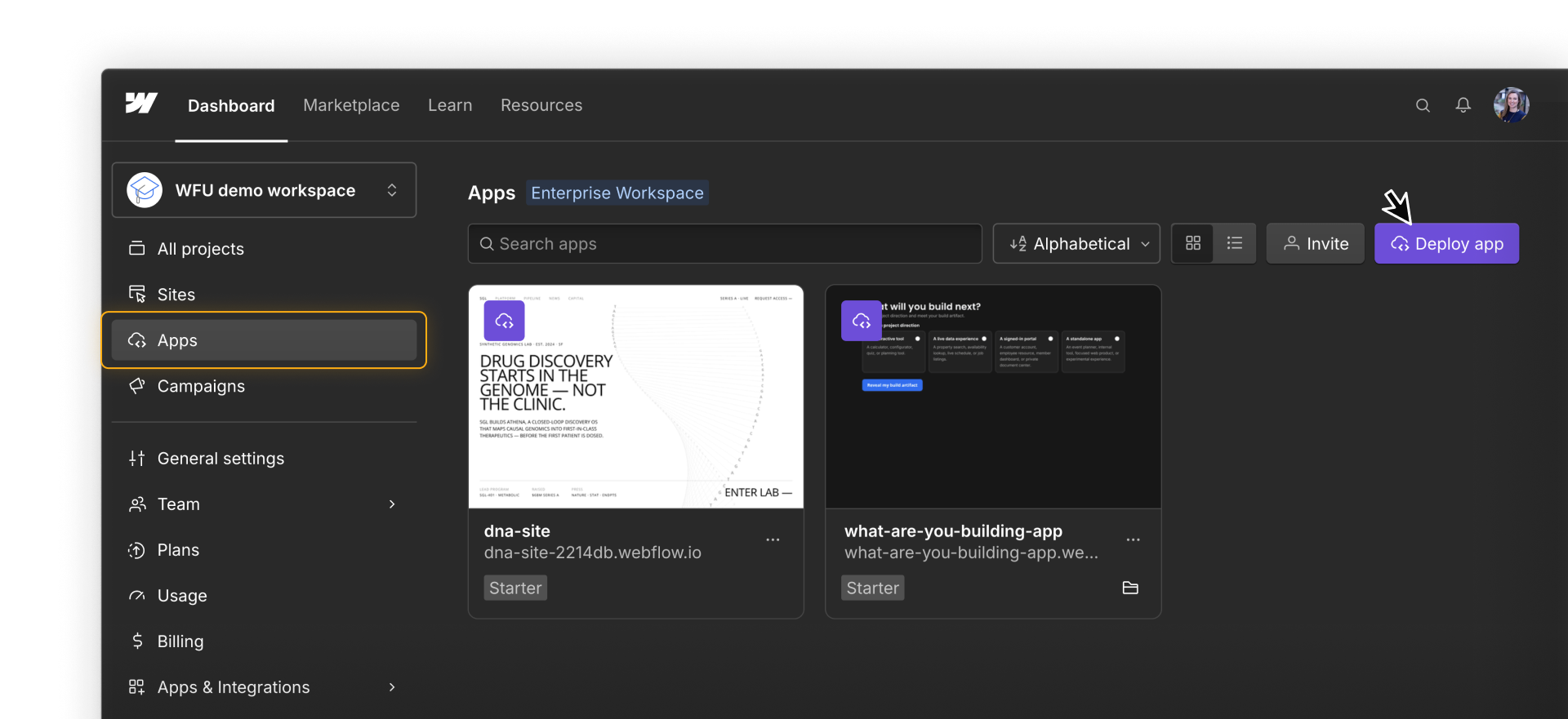
What can you do with Webflow Cloud?
Webflow Cloud can support many kinds of experiences. Here are a few ways teams might use it.
Add an interactive experience
Add something more dynamic than a typical marketing page, such as a searchable directory, personalized calculator, or 3D product configurator.
Connect to live data
Show current information from another business system, such as property listings, store locations, inventory, or live scores.
Create a signed-in experience
Build a customer portal, account dashboard, or employee resource. Webflow Cloud can run the application logic and connect to an authentication provider so the app can check who should have access.
Launch an app on its own
Publish a complete experience at its own web address. For example, an event-planning app could let attendees build a schedule and save their favorite sessions without needing a separate marketing site.
See the workflow in context
Throughout the course, you'll see several examples of what teams can build with Webflow Cloud. The main example in videos uses a prepared property listings app to show how the pieces work together.
A real estate company is rebuilding its marketing site in Webflow. Its agents already manage property details in a separate listings system, including price, availability, location, bedrooms, bathrooms, and photos.
The company wants visitors to search and explore those listings as part of its new web experience without requiring its team to copy every change into Webflow. Later on, you'll see how an existing app can be prepared for Webflow Cloud, deployed alongside their Webflow site, connected to an external system, tested, and maintained after launch.
What you'll need
Before you begin, make sure you have:
- A Webflow account with the Designer role or higher
- A GitHub account with access to the app's repository
- Enough familiarity with code to open and test an existing project, or support from someone who does
- A way to make and push code changes, manually or with a connected agent
A paid plan is required to use a custom domain. You can deploy and test a Webflow Cloud app on a webflow.io domain without one. Review the current Webflow plans before launching on a custom domain.
What you'll learn
In this course, you'll learn how to:
- Decide whether Webflow Cloud fits a project
- Check whether an app and its code are ready to deploy
- Deploy an app and verify the live experience
- Connect an app to current data without sharing private credentials
- Bring selected Webflow components into an app with DevLink
- Troubleshoot problems and plan for ongoing ownership
This course focuses on preparing, deploying, and maintaining an existing app.
It won't teach GitHub or coding fundamentals, how to build an app from scratch, or how to configure every supporting tool and service, such as the Webflow CLI or app data storage. You'll see some of those pieces used in context, with links to documentation when you need the full setup.
Later in the course, you’ll have a chance to practice deploying and updating an app in Webflow Cloud. The activity lesson includes everything you’ll need.
Keep going.
Continue to the next lesson to see whether Webflow Cloud fits your project.