Keep your app secure & running
Once an app is live, keeping it secure and available involves more than maintaining its code. The app may depend on visitor accounts, credentials for external services, Webflow Cloud settings, and teammates who can step in when something changes.
You don't need to predict every possible problem. You do need to understand how people and systems access the app, how private information is protected, and who can keep each part working after launch.
Separate the access layers
Imagine a Cloud app that gives real estate agents a secure dashboard. After an agent signs in, the dashboard shows their profile and the properties assigned to them.
Keeping that experience available to the right people involves three separate kinds of access:
- Visitor access: Who should be able to open the agent dashboard, and which listings or account information should each person be allowed to see?
- Service credentials: Can the app connect to the external listings system and retrieve current prices and availability?
- Webflow access: Can the teammates responsible for the app open its Webflow Cloud dashboard, review logs and deployments, or update its environment settings?
Access in one place doesn't carry over to the others. A teammate who manages the app in Webflow doesn't automatically have access to the agent dashboard. The credentials used to retrieve listings also don't decide which agents are allowed to see them.
Decide who needs to sign in
Not every app needs visitor authentication. A public property listings page may be available to everyone. A dashboard containing saved properties, account details, or private documents probably shouldn't be.
Two related checks control a signed-in experience:
- Authentication confirms who the visitor is.
- Authorization determines what that visitor is allowed to access.
Hiding a link or changing what appears in the browser isn't enough to protect private information. The app needs to check access before returning protected content or data.
The exact setup depends on the identity provider, framework, and security requirements you choose. Webflow provides authentication example projects, but deploying an app to Webflow Cloud doesn't add visitor authentication automatically.
Keep private values private
The app may also need credentials of its own. For example, a property listings app might use an API key to request current prices and availability. Visitors need the information returned by that request, but they should never receive the key itself.
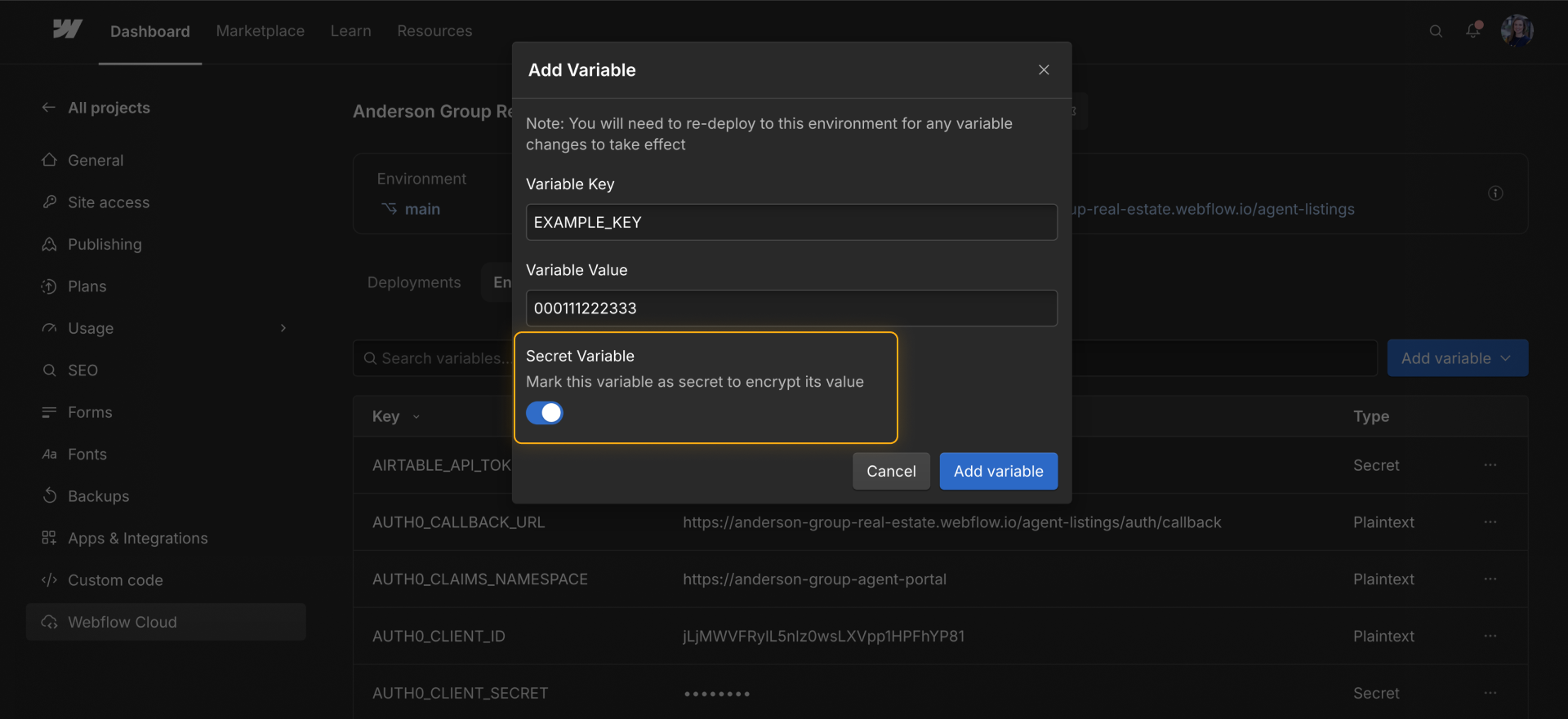
Store API keys, client secrets, and similar private values as secrets in the appropriate Webflow Cloud environment. Then make requests that use those values through server-side code.
A few practices help keep those values protected:
- Keep private credentials out of the app's public code and GitHub repository.
- Keep credentials and private customer information out of logs. A connected agent can read those logs through MCP.
- Mark sensitive environment variables as Secret so Webflow Cloud masks them and redacts their values from build logs.
- Know who can rotate or revoke a credential if it expires or is exposed.
- Use separate credentials for testing and production when the connected service supports it.
Plan for change
Visitor accounts, credentials, connected services, code, and usage can all change after launch. For each dependency, know where it is managed, who can update it, and how your team will confirm that the app still works afterward.
Here are a few changes worth planning for:
- A credential expires or changes: Update the secret, redeploy when needed, and test the connection again.
- An external service changes: Review the app's request, expected data, and error states.
- Access requirements change: Update the identity provider and the app's access checks, then test what different accounts can see.
- Code or a dependency changes: Test the update, commit it to GitHub, and verify the new deployment.
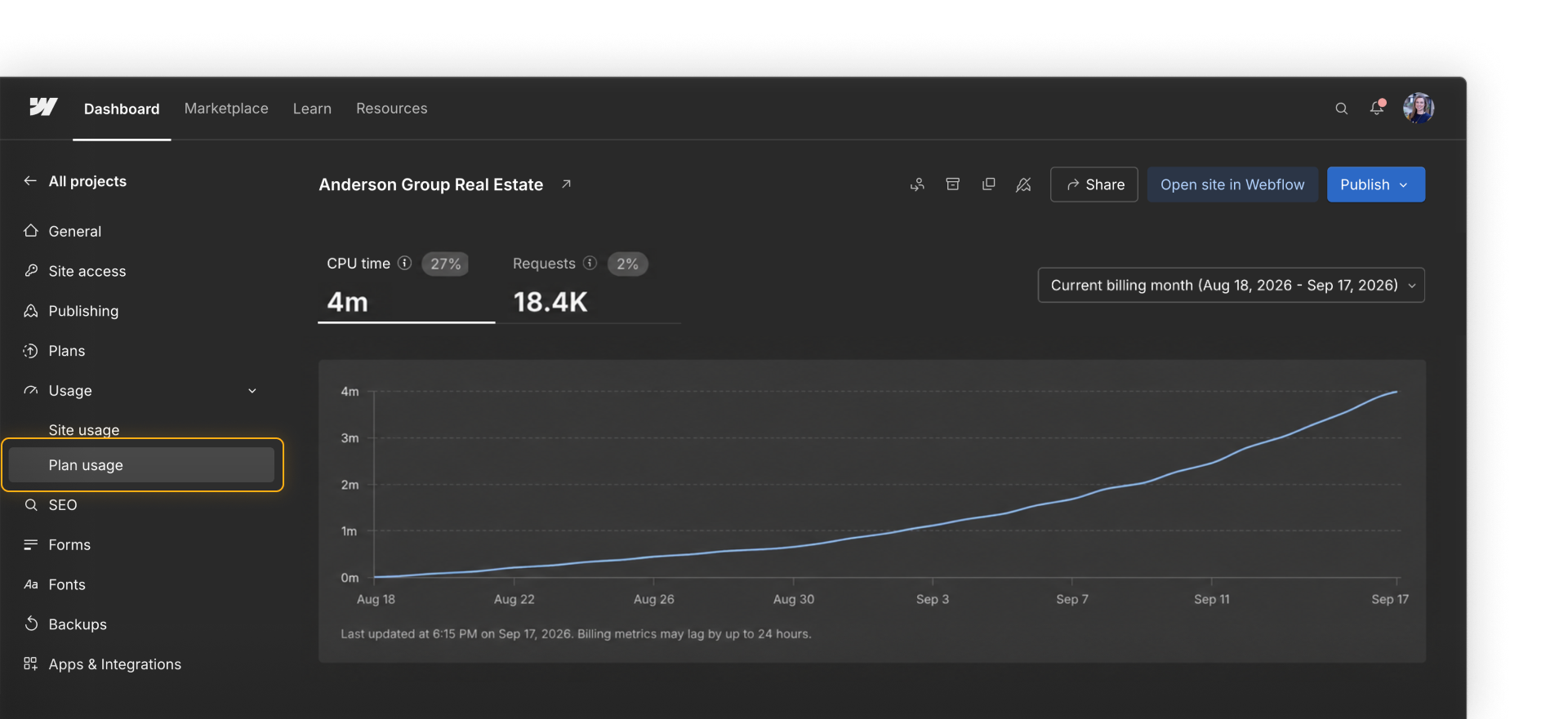
- Usage increases: Review requests and processing in the usage dashboard and compare them with the current limits.
Tip. Name a primary owner and a backup for the app. Make sure both people can find the repository, Webflow Cloud app, provider accounts, and any notes they would need to investigate a problem or make an update.
Almost there
Continue to the next lesson to review some best practices and explore more resources.