Page-level code
Page-level code
Page-level custom code is used when you need custom behavior to run on one specific page and nowhere else. It runs whenever that page loads, for every visitor, but does not affect other pages on the site. It’s the right choice when code shouldn’t be tied to a specific layout position and also shouldn’t apply site-wide.
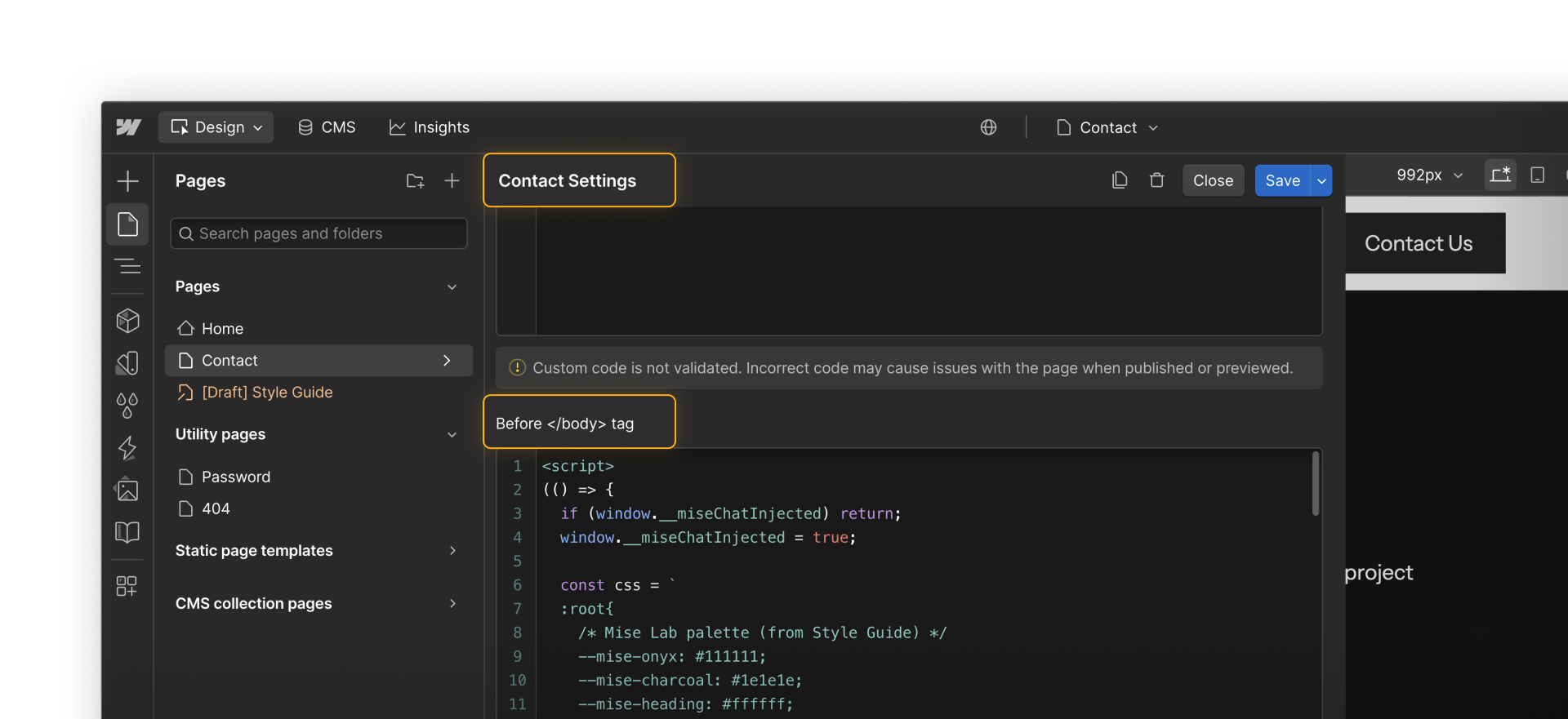
Page-level custom code works best when:
- The behavior is limited to a single page
- The code doesn’t need to appear inside the layout
- Running it elsewhere would add confusion or unnecessary load
- You want to keep the impact small and contained
Common examples include:
- Adding a marketing or analytics script to a single landing page
- Loading a chat widget only on a contact or support page
- Running a small script that targets elements unique to one page
- Adding an A/B testing or experiment script for a campaign page
In many cases, this code is copied from third-party tools and added as a snippet, rather than written from scratch.
How to add page-level custom code
To add page-level custom code in Webflow:
- Copy the code snippet from the tool or service, such as an analytics platform, chat provider, or testing tool.
- Open the page settings for the page where the code should run.
- Paste the code snippet into either the <head> or </body> section, depending on the tool’s instructions.
- Save and publish the page to staging or production to confirm the code runs as expected.
Some custom CSS added at the page or site level won’t render in Preview mode. In those cases, you’ll need to publish to staging or a live site to see the results.
Tip: Some teams place shared custom CSS inside Components to make it easier to reuse and preview.
Placement of page-level code: <head> vs <body>
Page-level custom code can be added in two places:
- <head> — loads earlier and is typically used for tracking, verification, or scripts that need to run as the page starts loading
- </body> — loads later and is better for scripts that rely on page content or existing elements
Third-party tools usually specify where their code should go. When they do, it’s best to follow those instructions.
Common mistakes to avoid
Page-level custom code is flexible, but a few patterns can cause issues:
- Duplicating the same script across multiple pages, which makes updates harder
- Forgetting page-level code exists, especially on older or less-visited pages
- Using page-level code when the behavior should be site-wide, leading to inconsistent experiences
If you find yourself copying the same snippet onto many pages, that’s often a sign that site-level custom code is a better fit.
Feeling good?
Now that we’ve covered page-level code, let’s take a closer look at custom code at the site level.