Skills & your activity
A good prompt can carry one CMS task from start to finish. But if your team runs the same process again next week, or the work stretches across several sessions, you don't want to rebuild those instructions every time. That's where a skill comes in.
What a skill is
Think of a skill as reusable instructions for a particular kind of work. It can tell your agent what information to gather, what questions to ask, which steps to follow, and when to stop for your review.
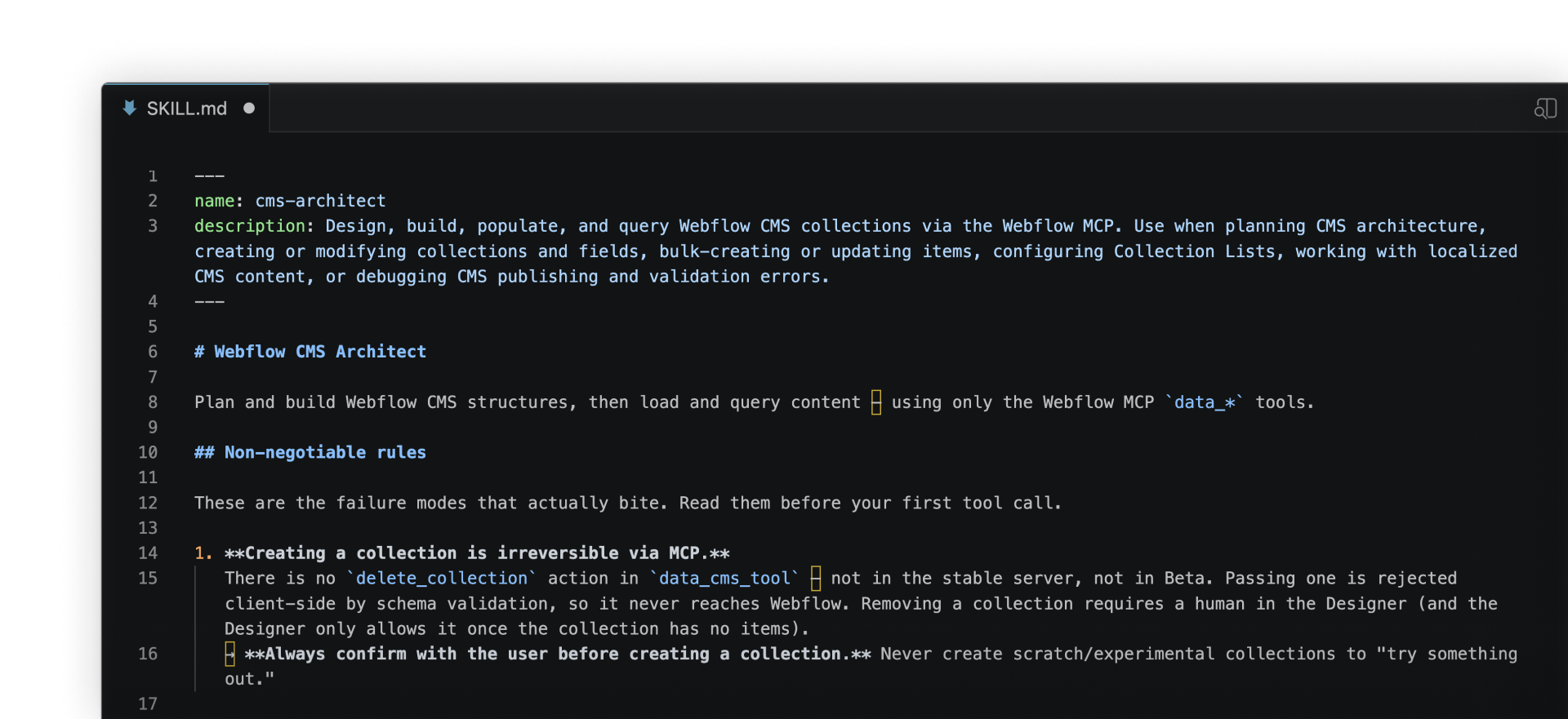
The Webflow MCP gives your agent access to Webflow and the tools it needs to work with your CMS. A skill doesn't create that connection. It gives the agent a process for using those tools.
Skill support differs by agent. Some agents let you install skills directly. Skills can also live with a Webflow site as Agent Instructions and be made available through MCP. Check your agent's documentation to see how it handles skills.
Match the setup to the job
Before you build a skill, consider what kind of task you're trying to handle:
Work directly in Webflow
Fixing a date or correcting a typo on one CMS item probably doesn't need an agent.
Use a planned prompt
A specific prompt may be enough when the task has a clear finish, such as reviewing one Collection, planning reference fields, or populating an approved test batch.
Build a skill
A skill is helpful when the process repeats, spans several batches or sessions, or needs the same rules and checks each time. Your agent can return to those saved instructions instead of depending on everything discussed earlier.
Agents can only keep so much of a long conversation in context at once. A skill doesn't increase that limit, but it gives the agent saved instructions to refer back to instead of relying on the full chat history.
Scenario: Ongoing publishing
A skill can also support ongoing publishing. One product team had a recurring job: turn internal release information into customer-facing CMS posts.
The starting point: New release entries arrived in a CSV. Each entry included a source URL and summary, but the CMS post also needed a fuller body and one of the team's approved categories.
The skill: The agent checked the source URL for duplicates, expanded the summary, selected a category, and added the CMS item as a draft. It also recorded which file had been processed and flagged anything it couldn't resolve.
The review: Nothing published automatically. The team reviewed each draft and made the final decision.
What had been a manual process of checking, rewriting, categorizing, and creating each item became a repeatable workflow, with the team still approving every draft.
Your practice activity
Choose one of two Webflow University skills for your own site:
- Plan a new CMS workflow helps you create reusable instructions for planning, building, and populating a new CMS.
- Plan a CMS migration workflow helps you create reusable instructions for mapping and moving existing content into Webflow.
Both activities use the same guided approach. Your agent reads your site, asks about the process you want to repeat, and helps you define the field mappings, workflow steps, and review points your instructions should cover. You'll finish with a skill based on your CMS and your team's process, rather than a generic template.
You'll find both skills in Assets & links inside the Course progress box on the right side of this course page. Download them and choose the one that matches the work you want to do.
How to install it
The process for installing and running skills varies by agent. If you're using Claude:
- Open Claude and go to Customize \u2192 Skills \u2192 Add
- Upload the .md file you downloaded from this course
- Open a new Claude chat and type a forward slash (/)
- Select the skill you upload to run it
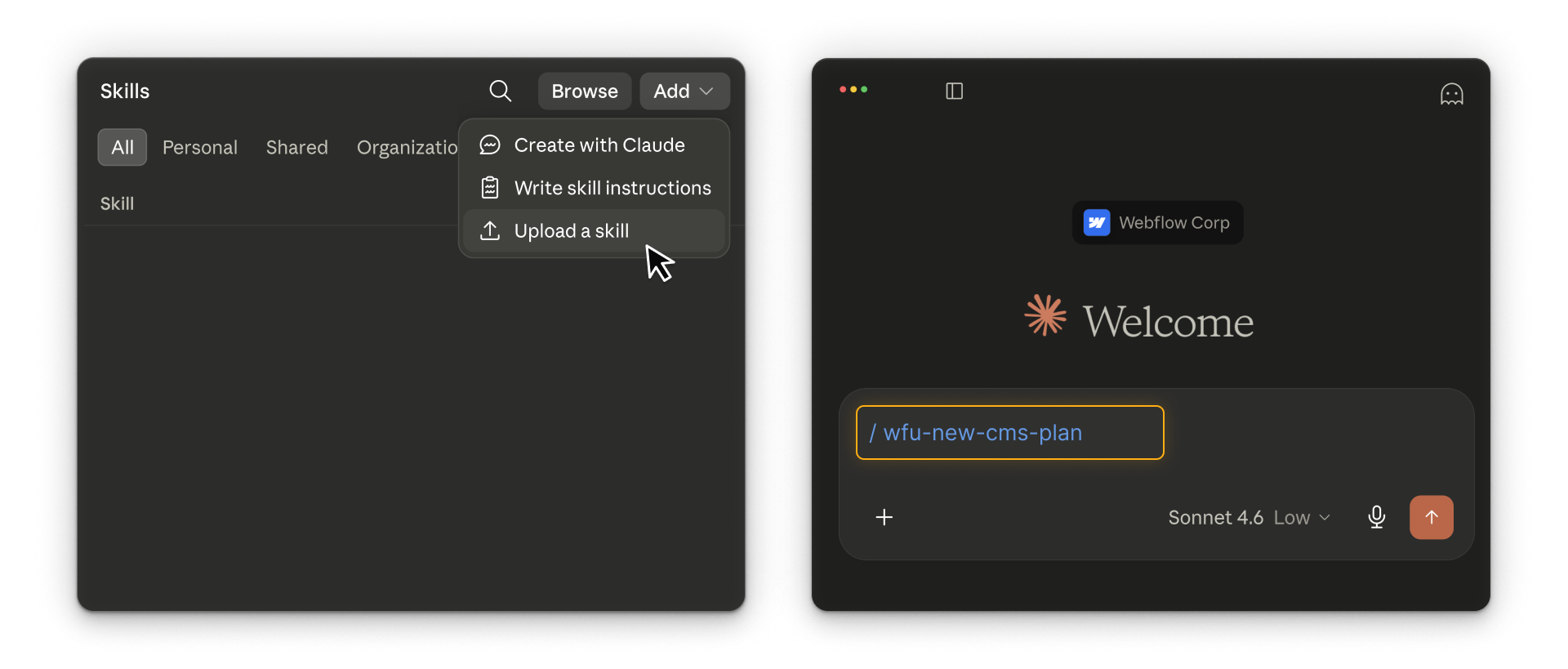
These skills are demoed in Claude. They work with other agents that support markdown-based instructions and a Webflow MCP connection. Setup and experience may vary by tool.
Ready to try?
Download the activity and use it to plan a skill for a CMS workflow you want to repeat. When you're finished, click Continue to next lesson to complete the course.