Before you build
Ask an AI agent to "build me a blog Collection and populate it with five sample posts," and you could have a CMS in Webflow within minutes.
An agent can create and populate content quickly. But creating the Collections is only one part of setting up a CMS. The decisions you make before the agent starts building affect how easily your team can add, update, and reuse content later.
Architect your CMS with your agent
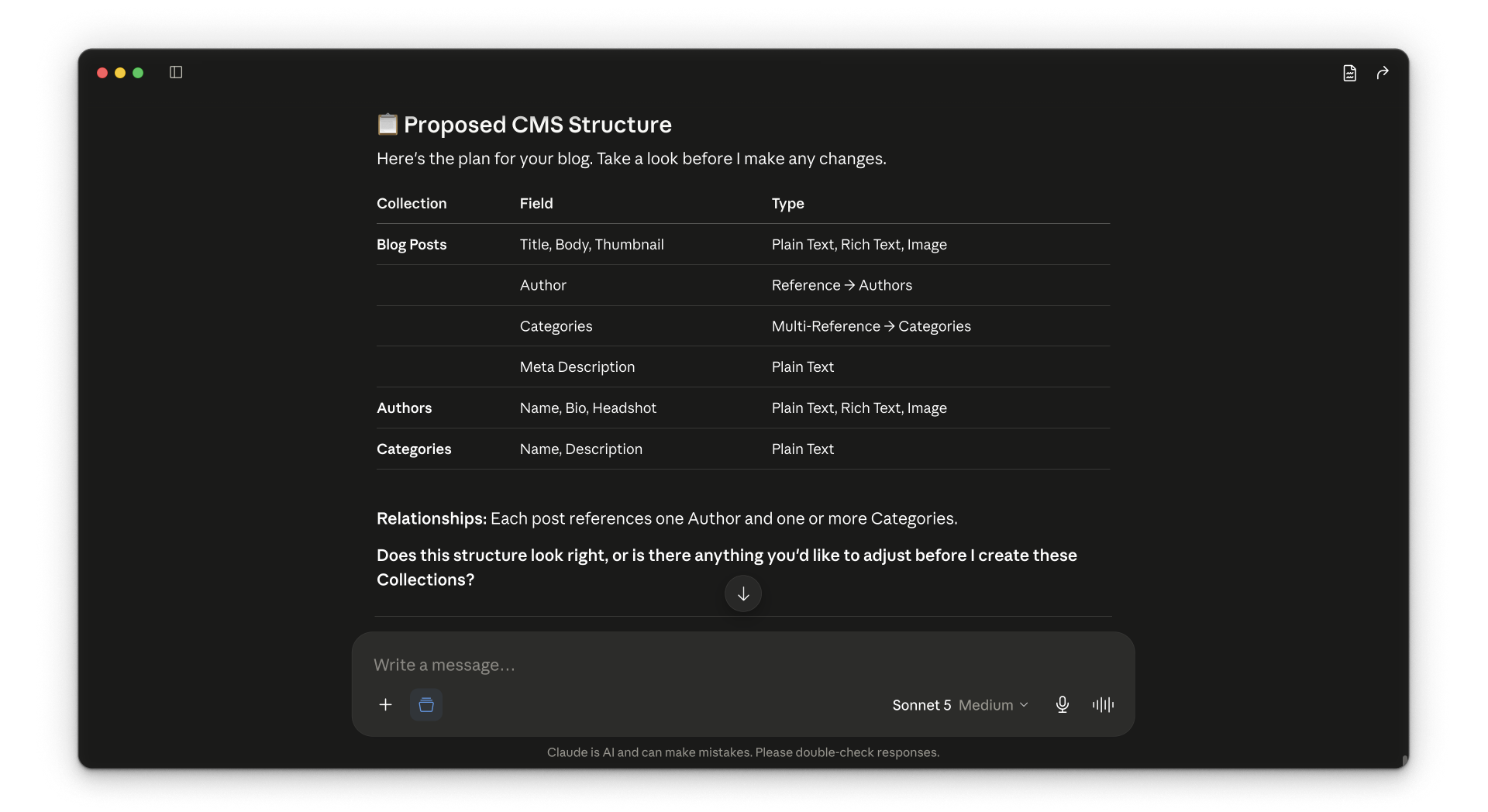
You don't have to work through those decisions alone. Before the agent changes your site, it can help you architect the CMS and explain its recommendations. It can identify fields that could support search and AEO, recommend how reference fields should connect Collections, and plan how future content should be added and reviewed.
For a migration, it can also compare your existing fields with the proposed structure, map what carries over, and flag missing information. You can adjust the plan and approve the structure before it creates Collections or imports content.
What you'll learn
This course covers the full process, from planning the CMS structure to adding, managing, and migrating content. You'll learn how to:
- Structure Collections your agent can navigate and populate reliably
- Plan how Collections connect before you add reference fields
- Add fields that support AEO, like authorship and freshness
- Batch large content jobs and build skills for repeatable work
- Plan a migration by designing the destination before you bring content in
By the end, you'll be able to use an agent to plan and build your CMS, then keep your content organized as it grows.
What to know before you start
This course is for Webflow designers and developers who already have basic familiarity with the Webflow CMS and working with dynamic content. It's designed for people who are ready for larger-scale, MCP-assisted CMS work, including migrations.
You'll also need access to an AI agent, like Claude, Cursor, or another compatible agent connected to your site through the Webflow MCP.
Your Webflow site plan sets the maximum size of a Collection and how many API calls your agent can make in a given timeframe. Check your plan's specifics if you're working with a large amount of content.
Your agent works within the same Webflow permissions you already have. It doesn't change what you can do, only how you do it. If your role can create and edit Collections, your agent can too. If it can't, your agent can't either.
Ready to continue?
Click Continue to next lesson to plan the content types, fields, and relationships your CMS needs.