Structuring content for AEO
A Blog Posts Collection with a title and body can publish an article. But structuring it for AEO means planning for more than the article itself. Authorship, freshness, related content, and metadata also need clear values that your site can use and your team or agent can maintain.
What AEO asks of your CMS
When an answer engine reads your site, it can only work with what your published pages expose: visible copy, headings, links, metadata, and schema markup. It can't look inside Webflow to see how a Collection is set up or which fields exist behind the scenes.
Your CMS supports AEO by giving information like authorship, freshness, and related content a clear place to live. That helps your team and agent maintain it consistently. When those values are connected to the published site, they can also help answer engines understand the content.
Choose fields by how they'll be used
Before adding a field, ask where its value comes from, where it will be used, and who will keep it current.
For a Blog Posts Collection or similar content, consider:
Authorship
Connect each post to an Authors Collection. This keeps bylines and author profiles consistent and lets your team update author information in one place.
Freshness
Keep the original publish date separate from the date the content was last reviewed or meaningfully updated. Decide what counts as an update so your team and agent apply it consistently.
Related content
Use a Related posts Multi-reference field to select relevant articles. When those connections appear as links, visitors and crawlers can follow the relationship between pages.
Search and sharing metadata
A meta description and Open Graph image can feed your Collection page's dynamic SEO and Open Graph settings. Check whether an existing summary or featured image can do the job before adding another field.
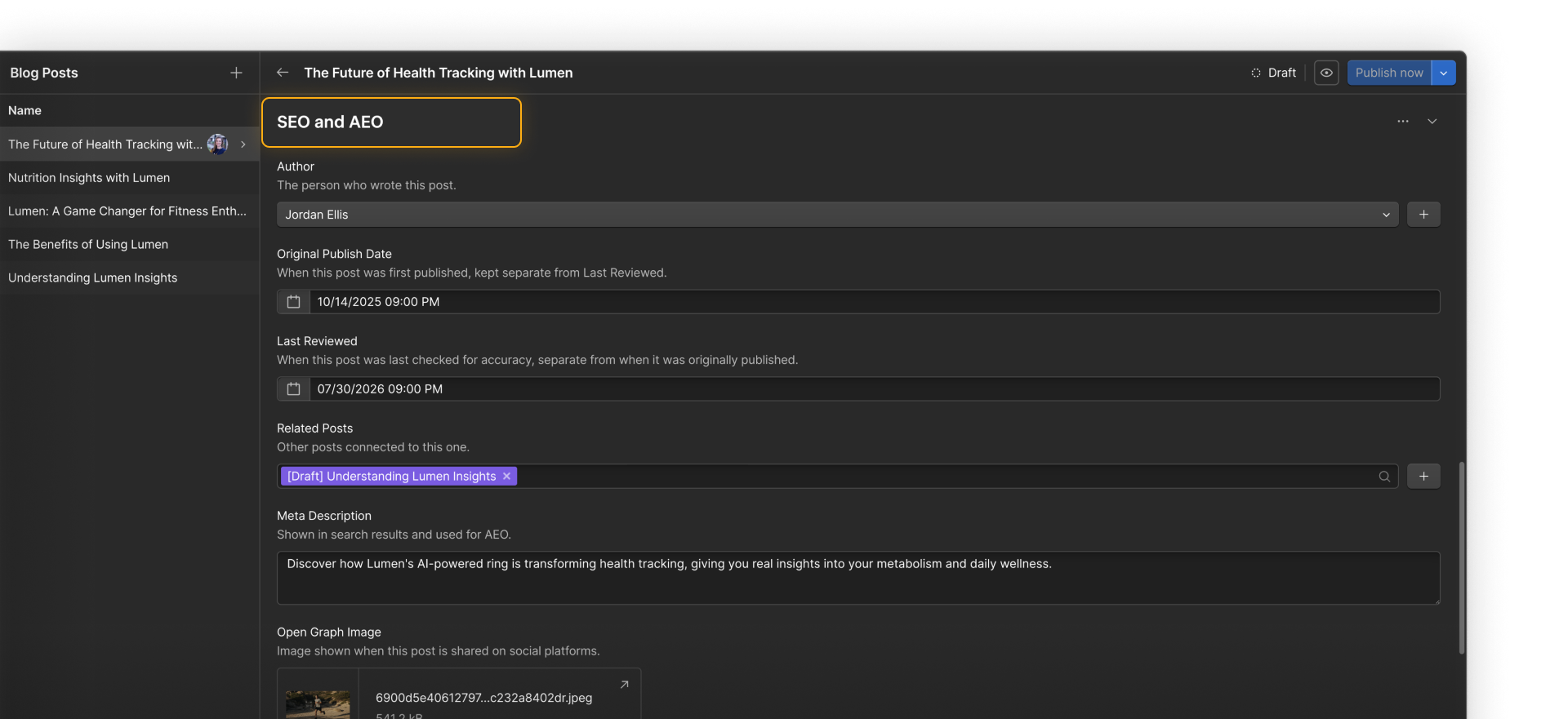
Webflow schema markup can use supported dynamic Collection fields, but not Reference or Multi-reference fields. Check the supported field types in Add schema markup in Webflow to improve SEO and AEO.
Review the structure with your agent
Your agent can review a Collection you're planning or one that already has content. Ask it to recommend fields with a clear use:
Review this CMS Collection for fields that could support AEO through authorship, freshness, related content, metadata, and schema markup. For each recommendation, explain where the value comes from, where it will be used, and how it should be maintained. Reuse existing fields where possible and flag unsupported field types or facts you can't verify.
For a new Collection, include the approved fields in the initial plan. For an existing one, test them with a few real items before filling the rest. Leave unknown authors, dates, or other facts for review instead of asking your agent to generate them.
Where this information shows up
Once these fields contain accurate information, your site can use them in several places:
- Authorship and review dates can appear on Collection pages.
- Related content can appear in Collection lists that link visitors and crawlers to other relevant pages.
- Summaries and images can feed dynamic search and sharing metadata.
- Supported field values can feed schema markup that gives machines more context about the page.
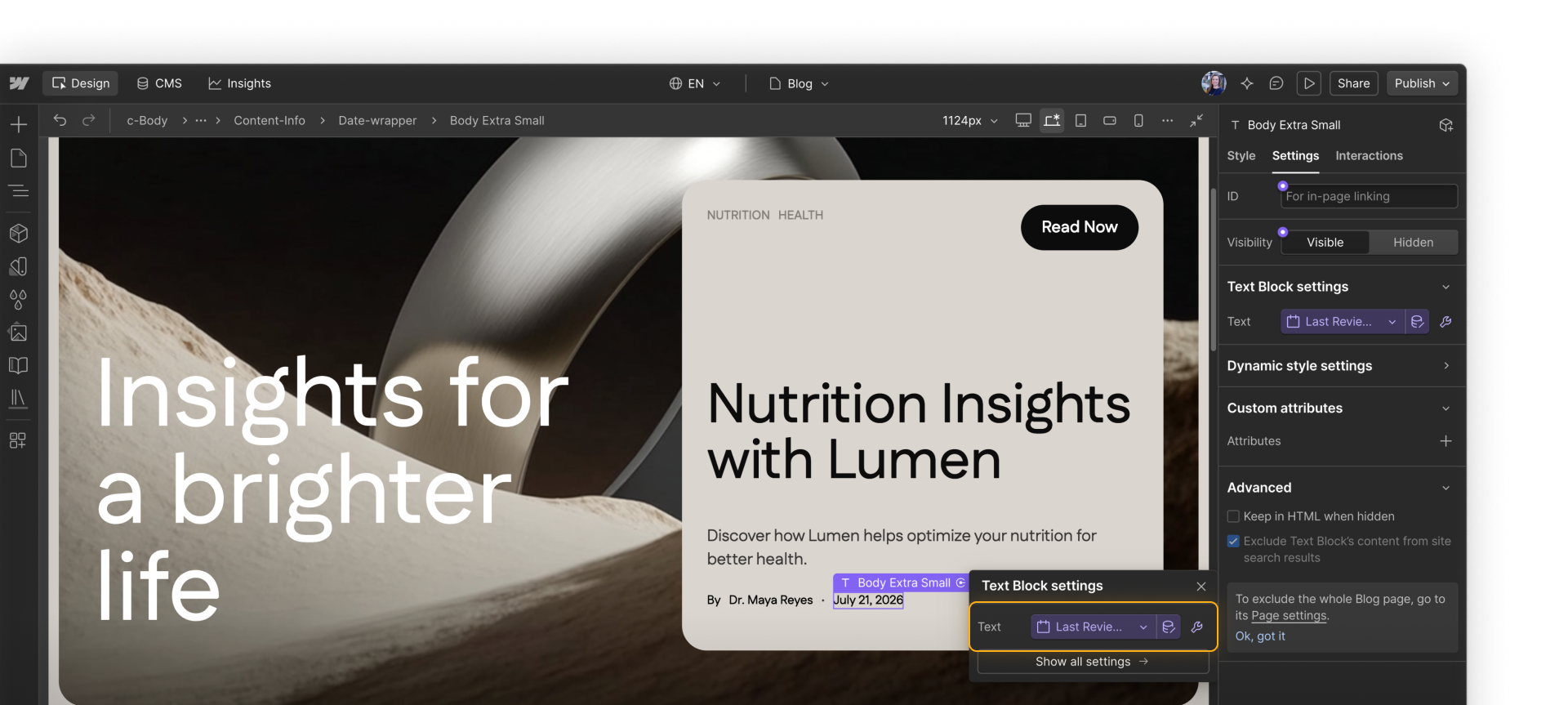
Once these fields are in place, your team can decide where to use that information as you build pages, update templates, or configure page settings.
Onward
Click Continue to next lesson to plan your migration into the structure you've built.