Manage SEO & page settings
SEO & page settings
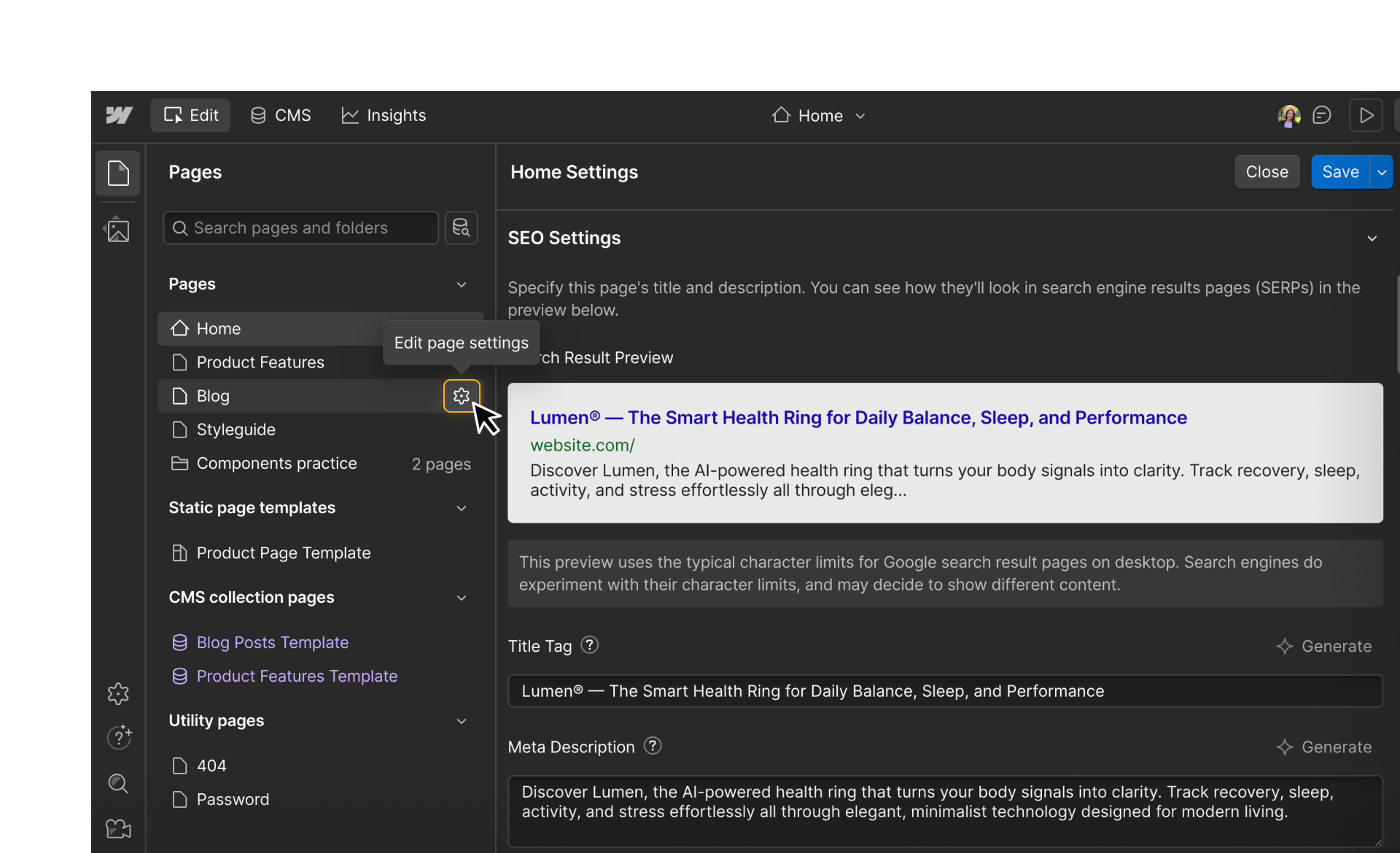
In Webflow, Content editors can update certain page-level settings that affect how a page appears in search results, how it looks when shared on social platforms, and whether a page is publicly visible or restricted. These settings are designed to be editable without affecting layout or design.
Content editors can update key SEO and visibility settings for individual pages, including:
- SEO title and meta description: Control how the page appears in search engine results.
- Open Graph settings: Customize the title, description, and image used when a page is shared.
- Page visibility options: Manage settings like password protection or search engine indexing.
Publishing SEO and page setting changes
Changes to SEO and page settings don’t go live until the page is published. Depending on your permissions, you may be able to publish these updates immediately or save them for someone else to publish.

If publishing isn’t available to you, Webflow will make that clear and your changes will remain saved until they’re ready to go live. This makes it easy to prepare SEO updates ahead of time and coordinate publishing with teammates when needed.

Try it out: Update page SEO settings
Let’s put this into practice using your cloned site.
- Open a page in your cloned practice site and open the page’s settings.
- Scroll down to the SEO Settings section and locate the Title Tag and Meta Description fields
- Click Generate to use the AI assistant to generate a Title Tag and Meta Description for your page
- Update the provided SEO title and meta description and manually adjust as needed
- Bonus: Scroll down and update your Open Graph settings as well! Add a title, description, and upload an image.
Pause and reflect: Does the title clearly describe the page? Would the description make sense to someone seeing it in search results? Is this something you’d want to publish right away, or review with a teammate first?
Want to learn more about optimizing your site for SEO? Check out our Webflow SEO fundamentals course.
Ready for more?
Next, we’ll cover how to use the CMS as a Content editor.