Background & preview
Model Context Protocol, or MCP, lets an AI agent connect to Webflow and work with your site. Through that connection, an agent can inspect your pages, components, classes, variables, CMS content, and other site resources.
But your site also reflects decisions that may not be obvious from those resources alone: which components to use, how classes should be named, what your brand voice sounds like, and which accessibility or SEO requirements the agent should follow.
Without clear guidance, the agent may have to infer those decisions or be told again each time it works. Agent Instructions give that guidance a place to live.
What are Agent Instructions?
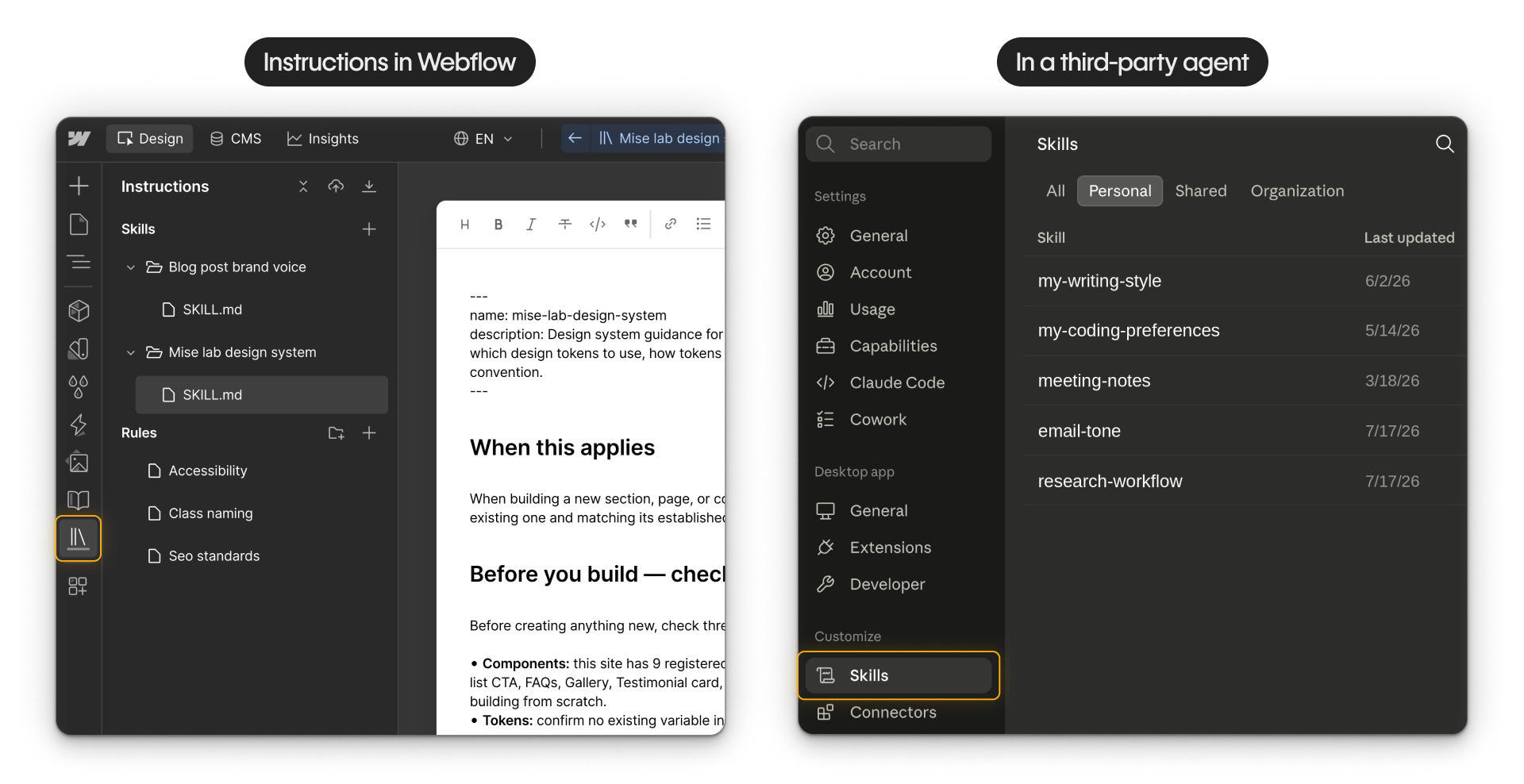
Agent Instructions are markdown-based instructions stored directly on your Webflow site. They guide supported Webflow agents and compatible third-party agents connected through MCP.
See the Webflow MCP developer documentation for current agent compatibility and setup options.
They come in two types:
Skills
Skills guide the agent through a particular kind of task or workflow, such as building with your design system, writing within brand guidelines, or adding content to a CMS collection.
Rules
Rules define standards the agent should follow whenever it works on the site, such as class naming conventions, accessibility requirements, or SEO defaults.

Simply put, a skill becomes relevant when the agent is doing the kind of work it describes, while a rule should remain in effect regardless of the task.
Why store instructions in Webflow?
You may already use skills, project instructions, or similar guidance in Claude, Cursor, or another agent. Webflow Agent Instructions give that guidance a shared home on the site itself.
That can be especially helpful when:
- Everyone working on the site should follow the same standards, such as naming, accessibility, or brand voice.
- The agent needs exact context about how the site is configured, including components, variables, or CMS structure.
- The guidance needs to stay current for everyone, with updates managed in one place instead of separately in each person's agent setup.
You can still use instructions stored in your own agent for personal preferences, reusable workflows, or guidance that is not specific to one Webflow site. The two can work together.
Who this course is for
This course is for designers and developers who already have Webflow MCP connected and want their agent to follow their site's standards and ways of working more consistently.
Access depends on your role. Site Managers and Designers can create, edit, and delete Agent Instructions. Marketers and Content Editors can read them. Reviewers cannot access them.
What you'll learn
By the end of this course, you'll know how to:
- Choose between a skill and a rule
- Create and manage Agent Instructions in Webflow
- Write instructions based on your site and standards
- Confirm that your agent is using them
- Share instructions across multiple sites
Tip. If you're just getting started with MCP, explore the Get started with Webflow MCP course first.
Ready to continue?
Click Continue to next lesson to learn how skills and rules work, and how to choose the right type for the guidance you want to provide.