Working with your team
Working with your team
Webflow is built for collaborative website work. That means designers, marketers, content editors, reviewers, developers, and stakeholders can all contribute to the same site — with different access based on what they need to do.
That access is controlled by your site role. Your site role determines what tools you see, what changes you can make, and how you contribute to the site.

Your Webflow role may not match your job title. A “marketer” might have Content editor access. A designer might have Reviewer access on a specific site. Your Webflow role is based on what you’re allowed to do in that site, not what your title says.
Core site roles
Here’s the high-level picture:
- Designer: Builds and maintains the design system: components, templates, classes, variables, and CMS structure. Full access to design tools.
- Marketer: Assembles pages from approved templates and components to launch campaigns and landing pages. Manages content, page-level SEO, and publishing.
- Content editor: Keeps content accurate: copy, images, and structured CMS items like blog posts — without changing layout or design.
- Reviewer: Reviews in comment-only mode, leaving feedback pinned to specific elements. Approves and gives feedback, but doesn't edit.
On Enterprise plans, teams can create custom roles by starting from a base role and adjusting specific permissions. Your role may not match these names exactly, but the responsibilities are usually similar.
How do I know what my assigned role is for a site?
The quickest way to tell is the tab in the top-left corner of the canvas:
- Design → Designer role
- Build → Marketer role
- Edit → Content editor role
If you can view the site and leave comments but can't edit the page directly, you likely have Reviewer access.
.png)
Still unsure? Ask your workspace admin or team lead. They can confirm your role and what you're responsible for on that site.
How work moves through the team
Every team’s workflow is a little different, but a common Webflow workflow might look like this:
- A Designer creates the design system, templates, components, and CMS structure.
- A Marketer uses those building blocks to assemble a campaign page or launch experience.
- A Content editor updates copy, images, CMS content, and page-level details.
- A Reviewer leaves comments, flags issues, and signs off before the work goes live.
Then the team resolves feedback, previews the work, and publishes when everything is ready.
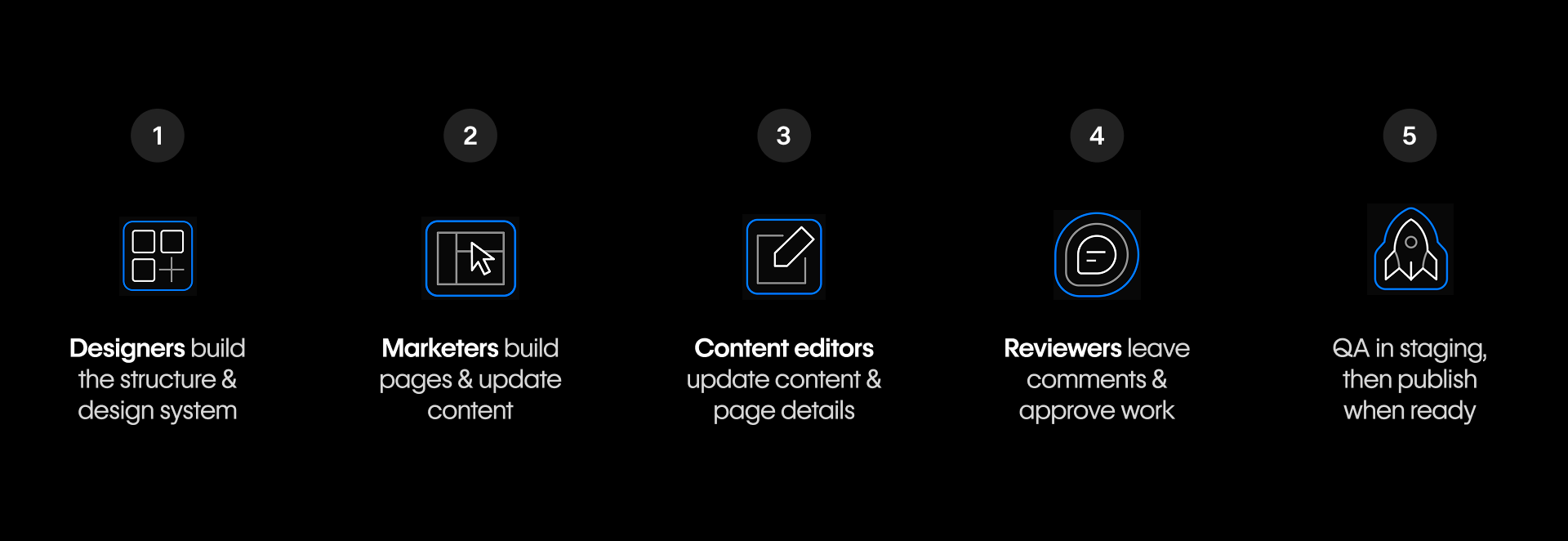
The order shifts depending on the work — sometimes content comes first, sometimes a new layout does, and sometimes Reviewers are involved early for legal, brand, or compliance-sensitive work.
The important part is knowing when to bring in the right person:
- Loop in a Designer when you need a new layout, component, template, CMS field, design system update, or structural change.
- Loop in a Marketer when the work is tied to a campaign, landing page, launch, SEO update, optimization, or performance goal.
- Loop in a Content editor when copy, CMS content, images, links, localization, or content accuracy needs attention.
- Loop in a Reviewer when work needs feedback, approval, compliance review, brand review, or final sign-off before publishing.
You don’t need to memorize every responsibility right away. As you continue through your role-based learning path, you’ll get more specific guidance on what you can do, where your guardrails are, and when to collaborate with teammates.
Working alongside AI agents
Your team isn't only people. AI agents can take on real work in a site — building sections, drafting content, making updates — connected through the Webflow MCP server.
The important thing to understand at this stage isn't how to set that up; it's that agents don't work outside your team's structure. An agent operates within a role and its permissions, just like a person does. A reviewer's agent can comment but not restructure a page; a content editor's agent can update copy but not rebuild the design system.
The guardrails that keep your team working safely apply to AI the same way. So as you learn your role, you're also learning the boundaries any agent acting on that role's behalf will work within.

Ready to wrap up?
Let’s move on to the final lesson where you’ll recap what you’ve learned, review additional resources to support your learning journey, and pick the next course for you to learn according to your role.