Validate your team’s expertise — get Webflow certified.

How it works
Every Enterprise plan account includes 10 certification exam vouchers through Webflow University Pro. Each voucher covers one exam registration and attempt.
If you pass, we’ll send your official certificate and shareable badge directly to your inbox.
Your certification is valid for two years. You’ll be notified before it expires with instructions on how to renew your certification.
Instructions
- 1
Request your vouchers
Sign into the Support Portal, select an Enterprise Workspace from the dropdown, and submit the Webflow Certification Voucher request.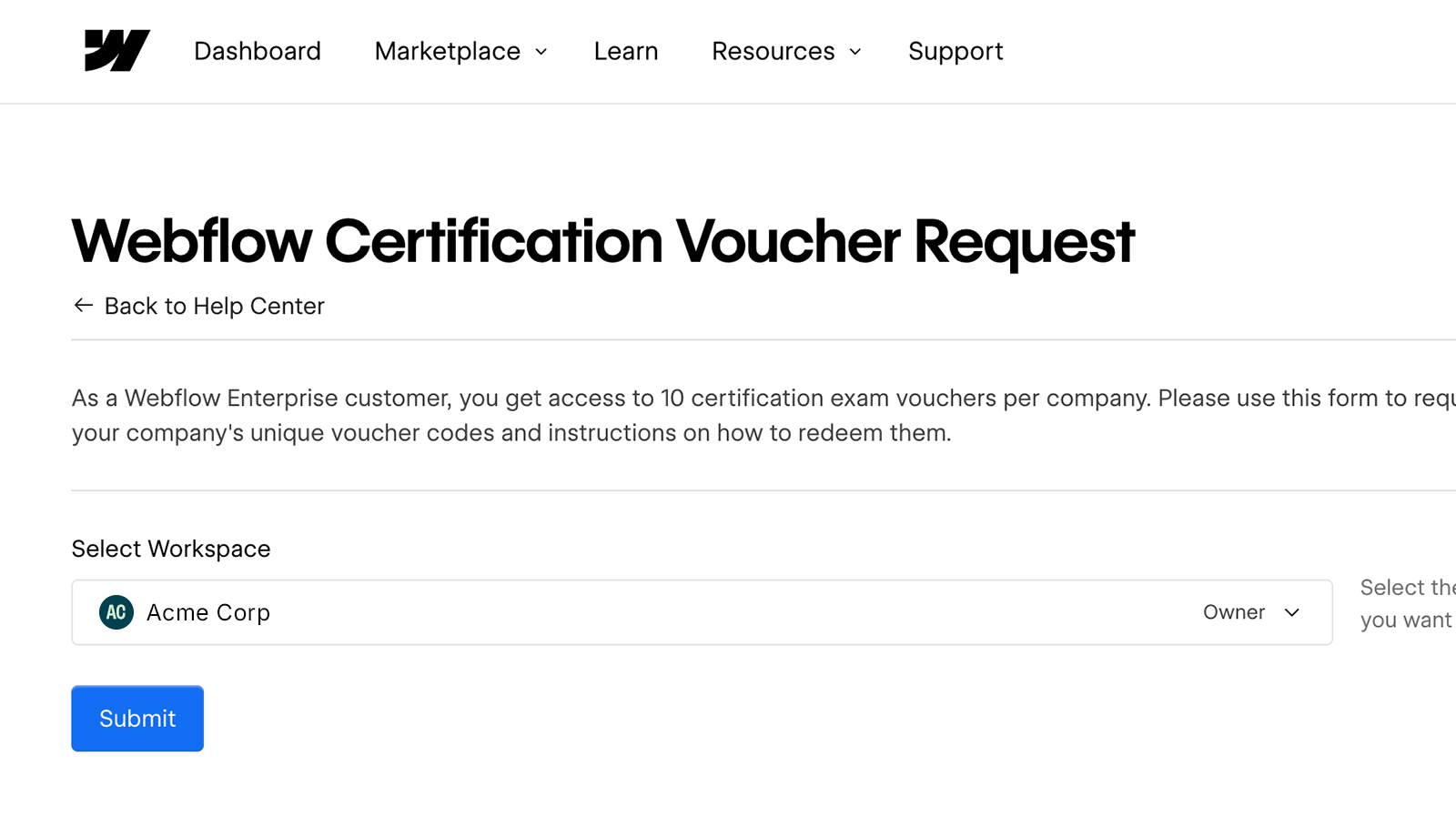
- 2
Share the codes with your team
Each code = 1 free attempt at any Webflow Certification exam. - 3
Study up!
- 4
Why get certified?
Webflow Certifications aren’t just for individuals — they help entire teams grow stronger together.
Proven impact
Certifications turn your team’s skills into measurable proof of expertise — earning trust across your org.
Unified standards
Set a clear baseline for your team. Level everyone up together with full confidence in your team’s readiness.
Industry credibility
Webflow issues the certifications, so everyone’s skills are validated at the source and recognized across the industry.
FAQs
What does the Certification exam voucher code cover?
A single voucher code covers the registration fee (normally $100) for a Webflow Certification exam. You get one exam attempt per registration.
How many voucher codes is a single Enterprise account entitled to with Webflow University Pro?
Each account on a Team, Scale, or Enterprise plan has access to a total of 10 voucher codes over the lifetime of the Enterprise account.
Can I share voucher codes with teammates within my organization?
Yes! The 10 voucher codes are meant to be shared with your teammates. Use them across your team to validate your Webflow expertise and earn certifications together.
Can I share voucher codes with people outside of my organization?
No. Voucher codes are intended to be used within your organization only.
Can an individual use more than one voucher code?
Yes, an individual can use more than one voucher code. You might use a second code if you don’t pass the first time or if you want to earn an additional certification.
How long are voucher codes valid? What happens if they expire?
Voucher code expiration dates vary based on when the voucher codes were issued. Each voucher code will have an expiration date applied. If you're still an active customer and are unable to use an expired voucher code, reach out to [email protected] so we can assist.
What if I don’t pass the exam?
If you don’t pass, you can register for the exam again with a new voucher code and retake it 24 hours or more after your first attempt. Your number of attempts is unlimited as long as you have a voucher code or pay the registration fee.
What if my team runs out of voucher codes?
If your team has used all the voucher codes and you’d like to register for an exam, you can still do so by paying the $100 registration fee. Each Enterprise account includes a maximum of 10 voucher codes.
What if I have more general questions around Webflow’s Certification program?
Check out our Webflow Certifications overview page to learn more about the program and our exam offerings.
Need help?
Certifications
Need help with your Certification vouchers or have questions about the program? Email us.
Taking the exam
For help with Certiverse, our exam proctoring partner, contact Certiverse support.
Webflow Support
For technical issues or product-specific questions, our Support team has your back.